
-
×
 PROFESSIONAL STREAMING PLAYER STAND L1
1 × 13.900 OMR
PROFESSIONAL STREAMING PLAYER STAND L1
1 × 13.900 OMR
المجموع: 13.900 OMR
SKU: 020313000443
متوفر في المخزون
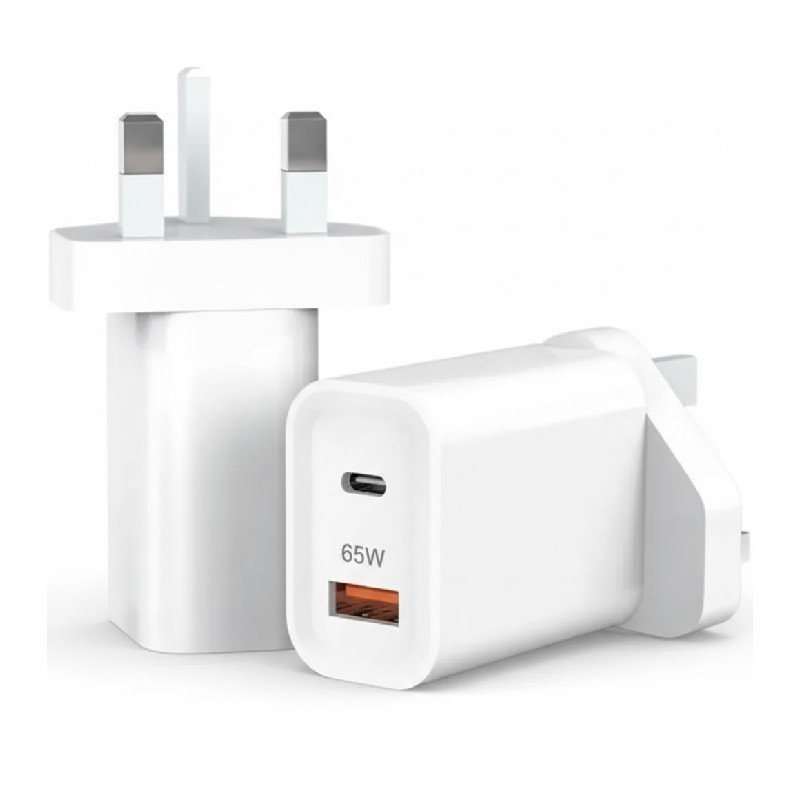
The DigitPlus DP-PD031 Gan 65W dual Type-C+USB-A Quick Charger is a compact and efficient charging solution designed to power up your devices rapidly. Featuring Gallium Nitride (GaN) technology, it delivers high power output in a smaller form factor compared to traditional chargers. With dual Type-C and one USB-A ports, it allows simultaneous charging of multiple devices, including smartphones, tablets, laptops, and more. Its intelligent charging technology ensures fast and safe charging, while the sleek design makes it ideal for home, office, or travel use. Say goodbye to long charging times and hello to quick and convenient power with the DP-PD031 Gan 65W charger.
5.500 OMR
متوفر في المخزون
1. **Plug into Power Source**: Connect the charger to a power outlet using the appropriate power cable. Ensure that the outlet is compatible with the charger’s input voltage.
2. **Identify Devices**: Determine which devices you want to charge and which ports on the charger you’ll use for each device. The DP-PD031 features dual Type-C ports and one USB-A port, providing flexibility for charging various devices simultaneously.
3. **Connect Devices**: Plug the USB-C or USB-A charging cables into the corresponding ports on the DP-PD031 charger. Ensure a secure connection between the cables and the charger to initiate charging.
4. **Monitor Charging**: Once the devices are connected, monitor the charging status to ensure they are receiving power. Many devices display a charging indicator when connected to a power source.
5. **Optimize Charging**: To optimize charging efficiency, prioritize higher-power devices like laptops or tablets by connecting them to the Type-C ports, as they support higher power output. You can simultaneously charge multiple devices, taking advantage of the charger’s dual-port design for added convenience.
 أقل سعر
 الخدمة والإصلاح

 أحدث
أحدث
لا توجد مراجعات حتى الآن.