
-
×
 شاحن سريع مزدوج الجانب ROCK W24 مزدوج الجانب
1 × 5.200 OMR
-
×
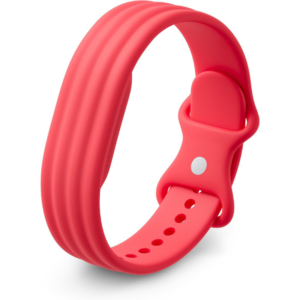 سوار جوجل فيتبيت إير أكتيف باند بيري المصنوع من السيليكون
1 × 20.900 OMR
-
×
 مشبك الهاتف المحمول DOBE PS4 TP4 TP4 016 CLAMP
1 × 1.900 OMR
-
×
 Sony PS5 Dual Sense Wireless Controller - Purple
1 × 25.900 OMR
-
×
 Philips OneBlade 360 Shaver QP2734/23
2 × 22.900 OMR
-
×
 AHUJA UTP30 WIRED TIE CLIP MIC
1 × 10.000 OMR
-
×
 ميلوديكا ميلوديكا النحلة Bm 13k
1 × 5.900 OMR
-
×
 LAVALIER MICROPHONE LJ02
1 × 1.800 OMR
-
×
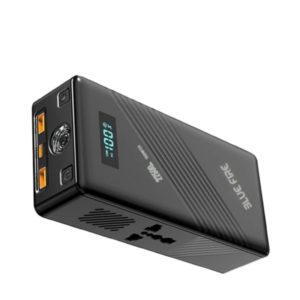 Blue Fire 22500MAh 150W Portable Power Bank
1 × 24.900 OMR
-
×
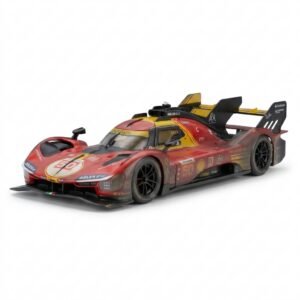 BBurago Metal Car Ferrari 499P Size 1.18
1 × 42.900 OMR
-
×
 BOYA WIRELESS MICROPHONE BY WM4 PRO
1 × 47.900 OMR
-
×
 نوكيا اي 90
1 × 120.000 OMR
-
×
 BEHRINGER UM2 USB AUDIO INTERFACE
1 × 32.000 OMR
-
×
 BOYA BY WM8 PRO K2 UHF DUAL CHANNEL WIRELESS MICROPHONE
1 × 76.800 OMR
-
×
 CPT 73331 1-24 Chrysles Metal Car
1 × 7.800 OMR
-
×
 YH 31 PS4 2 in 1 Charging Heat Sink
1 × 11.900 OMR
-
×
 Philips 1000 Series Body Groomer BG1025/15
2 × 10.900 OMR
-
×
 Cleo-EL Portable Power Station 300W ZHY-CN01
1 × 44.900 OMR
-
×
 CPT 79342 1-24 Volks Metal Van Bla/Red
1 × 7.800 OMR
-
×
 BOYA BY WM4 PRO K3 2.4GHz WIRELESS MICROPHONE SYSTEM
1 × 49.900 OMR
المجموع: 606.000 OMR
 أقل سعر
 الخدمة والإصلاح


 أحدث

لا توجد مراجعات حتى الآن.