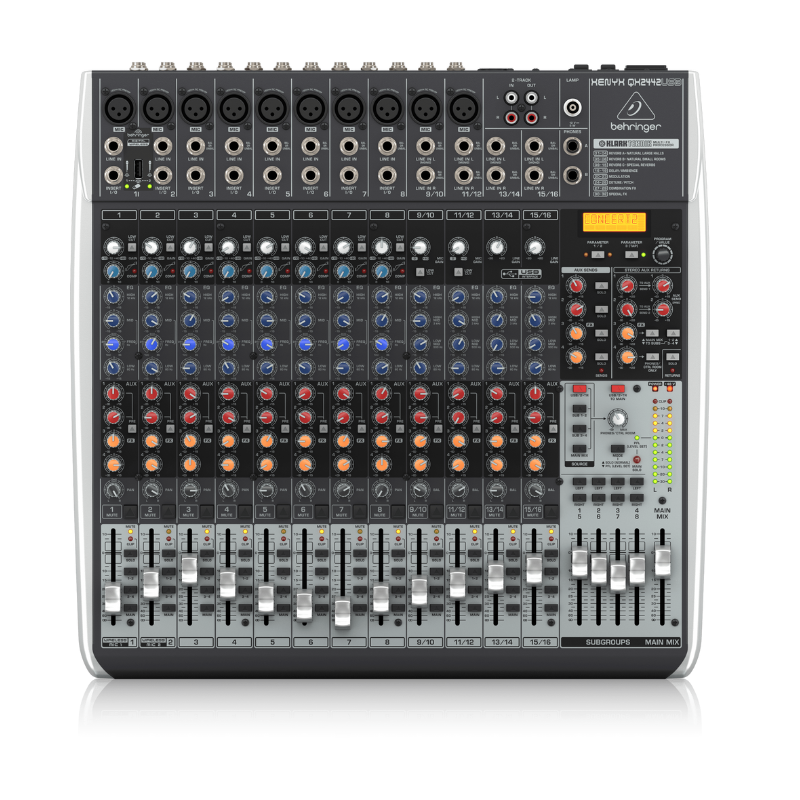
1. **Connecting Inputs**: Begin by connecting your microphones and other audio sources to the mixer’s input channels. The QX2442 has 10 XLR microphone inputs and 4 stereo line inputs, offering flexibility for various audio sources.
2. **Adjusting Levels**: Set the input levels using the gain controls located next to each input channel. Adjust these carefully to ensure optimal signal without clipping or distortion, indicated by the LED meters on each channel.
3. **Mixing and Effects**: Use the channel faders to adjust the volume of each input channel in your mix. The QX2442 includes built-in digital effects such as reverb, delay, chorus, and more. Use the FX send controls to add effects to individual channels or the entire mix.
4. **Monitoring**: Connect headphones to the headphone jack on the mixer for monitoring purposes. Use the headphone level control to adjust the volume to a comfortable level.
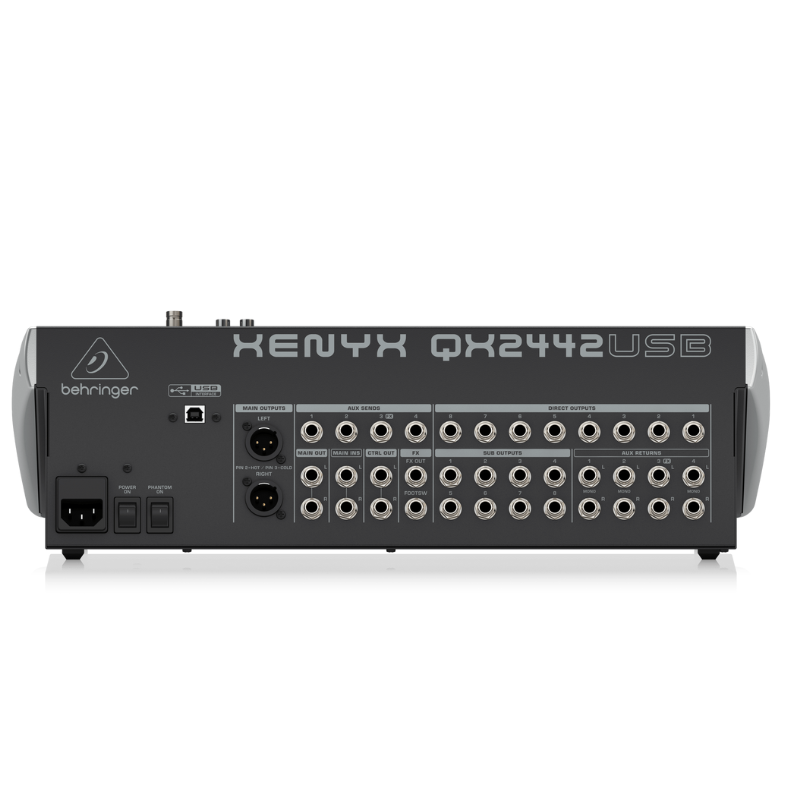
5. **Output and Recording**: Connect your main speakers or amplifier to the main outputs of the mixer. If you want to record your mix, use the USB connection to connect the mixer to your computer. Adjust the main output level to achieve the desired sound level in your venue or recording.
إطار نظارات ديسبادا كلوب DSC 5271 C3
مكواة تجعيد الشعر الاحترافية من مولينر ML 8012 بقوة 75 واط
Welly Metal Car Jeep Jeepster Commando Roadster Size 1.24 WL-24117C-W
نوكيا اي 90
iPhone SE 2020 - 128 GB - White
وحدة تحكم Nintendo Switch Pro
Welly Metal Car Mercedes Benz 600 Size 1.24 WL-24121W
Telionix Smart Digital Grill Maker TGM1240
Motorola Edge 70 Fusion 5g Gsm Ram 12 GB 256 GB
PROFESSIONAL STREAMING PLAYER STAND L1
Philips OneBlade 360 Shaver QP2734/23
BIBA Flute Deluxe
أقل سعر
الخدمة والإصلاح
أحدث


لا توجد مراجعات حتى الآن.