
-
×
 Sandisk Flash Drive i-xpand Dual Luxe 64GB Type-C to Lightning
1 × 11.500 OMR
-
×
 ميلوديكا ميلوديكا النحلة Bm 13k
1 × 5.900 OMR
-
×
 كبل بيانات OTVO P4 USB (لمضيف ومقبض P4)
1 × 1.900 OMR
-
×
 Belkin F2CU012bt Mixit Cable Usb A to Micro 3mtr
1 × 1.900 OMR
-
×
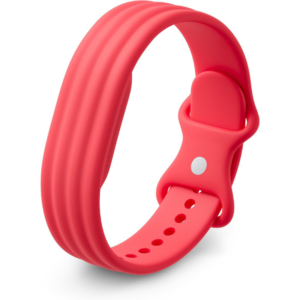 سوار جوجل فيتبيت إير أكتيف باند بيري المصنوع من السيليكون
1 × 20.900 OMR
-
×
 Google Fitbit Edge Fitness & Health Tracking Smart Band Green
1 × 86.900 OMR
-
×
 Google Fitbit Edge Fitness & Health Tracking Smart Band Black
1 × 86.900 OMR
-
×
 مكواة الشعر إنزو 7 في 1 EN-760
1 × 17.900 OMR
-
×
 REAN NYS231B PIN
1 × 1.800 OMR
-
×
 PHILIPS HD 1172 Dry Iron
1 × 5.800 OMR
-
×
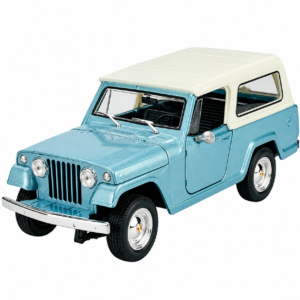 Welly Metal Car Jeep Jeepster Commando Station Wagon Size 1.24 WL-24117H-W
1 × 12.900 OMR
-
×
 OCULUS QUEST2 ELITE STRAP with BATTERY and CARRYING CASE
1 × 36.400 OMR
-
×
 Cleo-EL Portable Power Station 300W ZHY-CN01
1 × 44.900 OMR
-
×
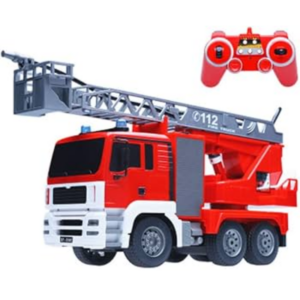 Cleo-TY Remote Controlled Fire Truck 567-001
1 × 14.900 OMR
-
×
 V Color Dr4 Pc4 Td48g26s819 D 21300 Ram 8Gb 2666Mhz
1 × 27.000 OMR
-
×
 Cleo-ES Rechargeable Umbrella with Cooling Fan NGB651
1 × 12.800 OMR
-
×
 BIBA Flute Deluxe
1 × 6.500 OMR
-
×
 KALIMBA 17 KEYS FINGER PIANO
1 × 13.800 OMR
المجموع: 410.600 OMR
 أقل سعر
 الخدمة والإصلاح


 أحدث


لا توجد مراجعات حتى الآن.