
-
×
 MULTI-FUNCTION USB MICRO CHECK CAMERA
1 × 3.100 OMR
-
×
 مكبر صوت JBL المحمول للحفلات 330 أبيض
1 × 199.900 OMR
-
×
 PHILIPS HD 1172 Dry Iron
1 × 5.800 OMR
-
×
 BOYA BY WM8 PRO K2 UHF DUAL CHANNEL WIRELESS MICROPHONE
1 × 76.800 OMR
-
×
 Philips OneBlade 360 Shaver QP2734/23
1 × 22.900 OMR
-
×
 Mulliner 4 In 1 Beard Trimmers and Grooming Kit PG200D
1 × 7.800 OMR
-
×
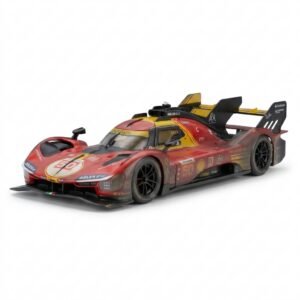 BBurago Metal Car Ferrari 499P Size 1.18
1 × 42.900 OMR
-
×
 CHENGKANG MINI-30 30L CAR Refrigerator
1 × 49.900 OMR
-
×
 WONDER WAX HAIR KIT
1 × 1.500 OMR
-
×
 جراب سيليكون من أبل لهاتف آيفون 17 برو ماج سيف، أسود، MGFK4ZM/A
1 × 22.000 OMR
-
×
 WHARFEDALE ZD70100 DIAPHRAGM
1 × 12.500 OMR
-
×
 Cleo-TY Remote Control Cement Mixer Truck 518-001
1 × 14.900 OMR
-
×
 LAVALIER MICROPHONE LJ02
1 × 1.800 OMR
المجموع: 461.800 OMR
 أقل سعر
 الخدمة والإصلاح


 أحدث

لا توجد مراجعات حتى الآن.