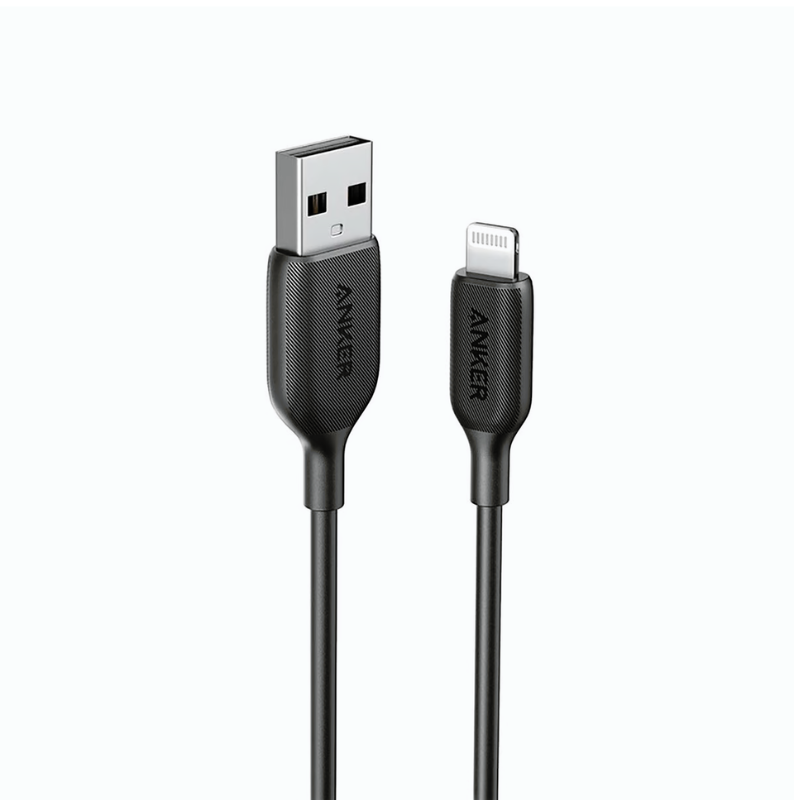
1. **Connect the Lightning End**:
– Insert the Lightning connector end of the cable into the Lightning port on your iPhone, iPad, or iPod securely until it clicks into place.
2. **Connect the USB-C End**:
– Plug the USB-C connector end of the cable into a USB-C port on your charger, power bank, or computer.
3. **Charging**:
– Ensure that your power source is turned on.
– Once connected, your device should start charging automatically. You can check the charging status on your device’s screen.
4. **Data Transfer**:
– To transfer data between your device and a computer, connect the USB-C end of the cable to a USB-C port on your computer.
– Your device should prompt you to trust the computer. Follow the on-screen instructions if necessary.
– Once connected, you can access your device’s files and transfer data between your device and the computer.
5. **Disconnecting**:
– When you’re finished charging or transferring data, gently pull out the connectors from both your device and the power source.
– Store the cable in a safe place to prevent damage and tangling.
Cleo-EL Fan Turbo Violent Fan Combo 133096
Dlc Coffee Grinder 7320 120G
BOYA BY WM4 PRO K3 2.4GHz WIRELESS MICROPHONE SYSTEM
GH1001 RED MAGIC Game Handle
ميلوديكا ميلوديكا النحلة Bm 13k
Cleo-TY Children's Pinball Machine HT 9801
Cleo-TY Mini Tabletop Football Game
وحدة تحكم لاسلكية Sony PS5 DualSense - لون أحمر بركاني (Volcanic Red)
PROFESSIONAL STREAMING PLAYER STAND L1
أقل سعر
الخدمة والإصلاح
أحدث

لا توجد مراجعات حتى الآن.