
-
×
 BOYA LARGER DIAPHRAGM CONDENSER MICROPHONE BY M1000
1 × 38.800 OMR
-
×
 حامل الشحن DOBE PS4 TP4 TP4 023B
2 × 6.900 OMR
-
×
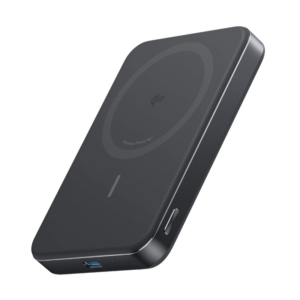 بنك الطاقة Anker A1664 MagGo فائق النحافة بسعة 10000 مللي أمبير معتمد بتقنية Qi2 بقدرة 15 واط
1 × 19.900 OMR
-
×
 SONY PS4 UFC 4 GAME CD
1 × 16.000 OMR
-
×
 Honor Choice Smart Watch 2 Pro Black
1 × 20.900 OMR
-
×
 BEHRINGER QX2442 MIXER
1 × 180.000 OMR
-
×
 Cleo-TY Kids Water Gun 3201A
1 × 7.800 OMR
-
×
 DELONGHI MC INT1 DL ESAM420.80.TB
1 × 340.250 OMR
-
×
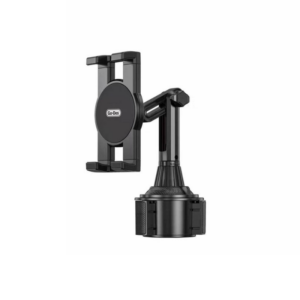 حامل تابلت للسيارة من Go-des GD HD313
1 × 4.500 OMR
-
×
 Hot Wheels Deutschland Design
1 × 4.900 OMR
-
×
 Google Fitbit Edge Fitness & Health Tracking Smart Band Black
1 × 86.900 OMR
-
×
 Sony PS 4 FIFA 21 Ultimate Edition Arabic Game CD
1 × 12.800 OMR
-
×
 مشبك الهاتف المحمول DOBE PS4 TP4 TP4 016 CLAMP
1 × 1.900 OMR
-
×
 Philips 1000 Series Body Groomer BG1025/15
1 × 10.900 OMR
-
×
 MAX BMS 135 BOOM MIC STAND
1 × 9.500 OMR
-
×
 PROFESSIONAL STREAMING PLAYER STAND L1
1 × 13.900 OMR
المجموع: 782.750 OMR
 أقل سعر
 الخدمة والإصلاح


 أحدث
لا توجد مراجعات حتى الآن.