
-
×
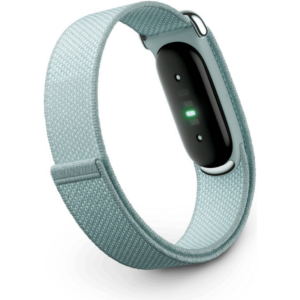 سوار جوجل فيتبيت إير لتتبع اللياقة البدنية والصحة بدون شاشة، مقاوم للضباب
1 × 51.900 OMR
-
×
 BBurago Metal Car Ferrari 296 GTB Size 1.18 18-16018
1 × 42.900 OMR
-
×
 ميلوديكا ميلوديكا النحلة Bm 13k
1 × 5.900 OMR
-
×
 سي دي لعبة ام اكس في اس ايه تي في اول اوت لبلاستيشن 4
1 × 18.800 OMR
-
×
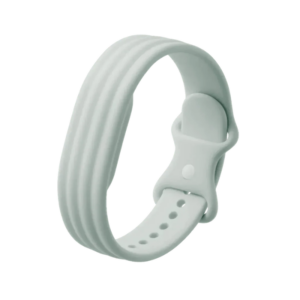 سوار جوجل فيتبيت إير أكتيف باند من السيليكون المقاوم للضباب
1 × 20.900 OMR
-
×
 SONY PS4 Final Fantasy XII GAME CD
1 × 8.800 OMR
-
×
 SONY PS5 Spider Man Marvel Miles Morales Eng. Game CD
1 × 9.900 OMR
-
×
 BK-20 OUD OIL BUKHOOR BURNER
1 × 6.400 OMR
-
×
 MAX BMS 135 BOOM MIC STAND
2 × 9.500 OMR
-
×
 Google Fitbit Edge Fitness & Health Tracking Smart Band Green
1 × 86.900 OMR
-
×
 Cleo-TY Metal Car Mercedes Benz W140 Size 1.24
1 × 6.800 OMR
-
×
 فيلم زجاجي لعدسة كاميرا آي فون 11 برو المعدني من USAMS
1 × 1.900 OMR
-
×
 PROFESSIONAL STREAMING PLAYER STAND L1
1 × 13.900 OMR
-
×
 Philips 1000 Series Body Groomer BG1025/15
1 × 10.900 OMR
-
×
 PHILIPS HD 1172 Dry Iron
1 × 5.800 OMR
-
×
 Panasonic Cordless Phone Battery AAA Ni-MH 1.2V 650mAh
1 × 3.500 OMR
-
×
 APPLE IPAD Pro 12.9 Inch 4TH GEN SMART KEYBOARD FOLIO
1 × 94.900 OMR
المجموع: 409.100 OMR
 أقل سعر
 الخدمة والإصلاح


 أحدث
لا توجد مراجعات حتى الآن.