
-
×
 Al-Harameen Azan Clock Ha-4009
1 × 12.900 OMR
Al-Harameen Azan Clock Ha-4009
1 × 12.900 OMR
Subtotal: 12.900 OMR
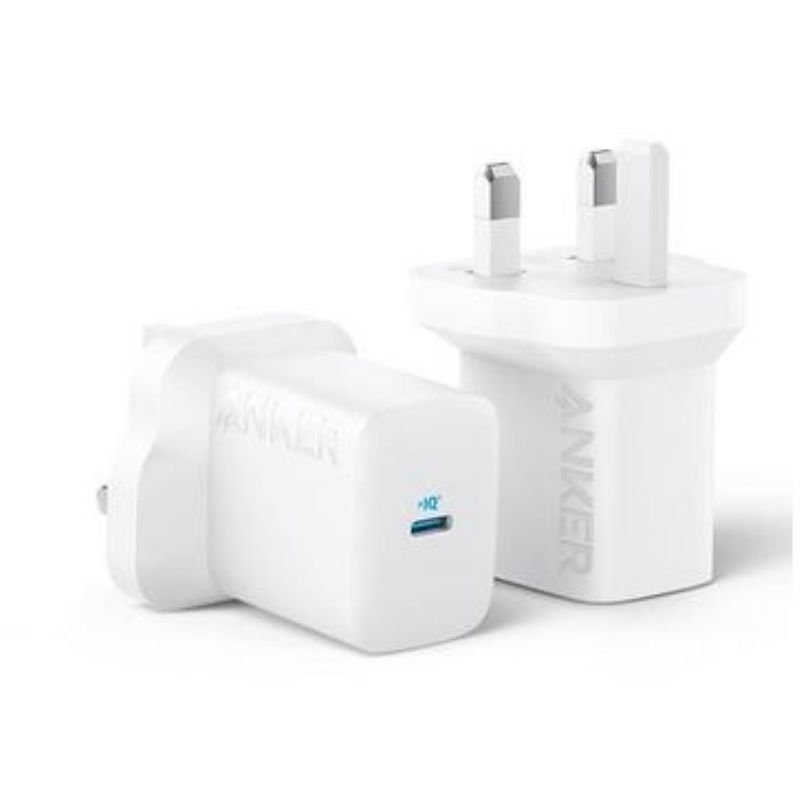
SKU: ANKER A2640K21 USB-C 30W Adaptor - 312
Out of stock
The ANKER A2640K21 USB-C 30W Adapter – 312 is a compact and powerful charging solution. With a USB-C port delivering up to 30W of power, it efficiently charges smartphones, tablets, laptops, and other USB-C devices. Its compact design and foldable prongs make it portable and convenient for travel or everyday use. Equipped with advanced safety features, it ensures reliable and secure charging for your devices. The ANKER A2640K21 Adapter – 312 provides fast and efficient charging wherever you go.
1. **Plug in the Adapter**:
– Locate a power outlet or socket near your charging area.
– Insert the adapter’s prongs firmly into the outlet until it’s securely in place.
2. **Connect Your Device**:
– Identify the USB-C port on the adapter.
– Plug one end of your device’s USB-C charging cable into this port.
3. **Connect to Your Device**:
– Plug the other end of your device’s USB-C charging cable into your smartphone, tablet, laptop, or any other USB-C compatible device.
4. **Power On**:
– Once your device is connected, the adapter will automatically start supplying power.
– If your device supports fast charging, it will charge at the maximum supported rate provided by the adapter.
5. **Charging Complete and Disconnect**:
– When your device is fully charged or you no longer need to charge, unplug the charging cable from your device first.
– Then, unplug the adapter from the power outlet or socket and store it safely for future use.
 New Arrivals
 Offers
 Service & Repair

There are no reviews yet.