
-
×
 YH 31 PS4 2 in 1 Charging Heat Sink
1 × 11.900 OMR
-
×
 Atouch Led Mini Game Box Keychain
1 × 0.400 OMR
-
×
 Gulf Dalla GA-C9841 Coffee Maker
1 × 15.000 OMR
-
×
 YH 25 PS4 Multifunctional Heat Dissipation Charging Bracket
1 × 12.900 OMR
-
×
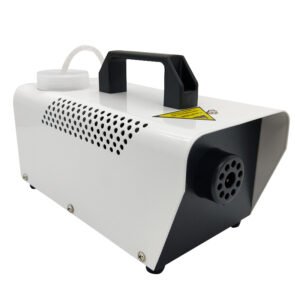 400W Disinfection Mini Fogger Machine
1 × 8.900 OMR
-
×
 Cleo Plastic Recorder
1 × 0.700 OMR
-
×
 Kalimba 17 Keys Finger Piano
2 × 13.800 OMR
-
×
 Max Bms 135 Boom Mic Stand
1 × 9.500 OMR
-
×
 Tolaye Ks06 Keyboard Stand
1 × 14.000 OMR
-
×
 Sony PS4 Village Resident Evil Game CD
1 × 18.700 OMR
-
×
 SONY PS4 NIOH 2 GAME CD
1 × 9.900 OMR
-
×
 Bm 13k Bee Melodica
2 × 5.900 OMR
-
×
 Cleo-TY Mercedes Benz G65 Metal Car M923
1 × 5.900 OMR
-
×
 2085 NECK SUPPORT
1 × 1.800 OMR
-
×
 OMNIKEY 3121 CARD READER
1 × 7.900 OMR
-
×
 Cleo-EL Electric Turbo Jet Fan NGB782 TF64
1 × 32.900 OMR
-
×
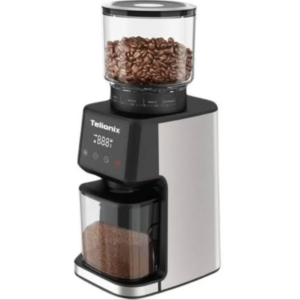 Telionix Coffee Grinder TCG4151
1 × 26.900 OMR
-
×
 Boya By Wm4 Pro K3 2.4ghz Wireless Microphone System
2 × 49.900 OMR
-
×
 DUDAO AUX 3.5 mm Cable Connector
1 × 3.900 OMR
-
×
 Apple Ipad Pro 12.9" 4th Gen Smart Keyboard Folio
1 × 94.900 OMR
-
×
 Dlc Stand Fan 31063 16 Inch
1 × 18.900 OMR
-
×
 Logitech H340 Headset
1 × 8.400 OMR
-
×
 OCULUS QUEST2 ELITE STRAP with BATTERY and CARRYING CASE
1 × 36.400 OMR
-
×
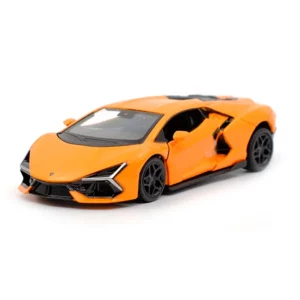 CPT 1901-930AP P/B DIE CAST Lamborghini
1 × 6.900 OMR
-
×
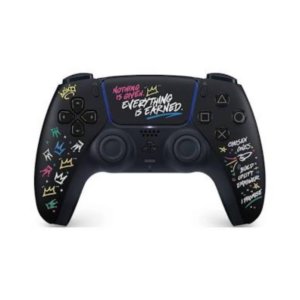 Sony Ps 5 DualSense Wireless Controller LeBron James Limited Edition
1 × 34.900 OMR
-
×
 Biba Flute Deluxe
1 × 6.500 OMR
-
×
 Nintendo Switch Oled 64GB Console White
1 × 120.900 OMR
-
×
 Lavalier Microphone Lj02
1 × 1.800 OMR
-
×
 Google Fitbit Edge Fitness & Health Tracking Smart Band Green
1 × 86.900 OMR
-
×
 Hot Wheels Deutschland Design
1 × 4.900 OMR
-
×
 BBurago Metal Car Ferrari 296 GTB Size 1.18 18-16018
1 × 42.900 OMR
-
×
 Vivo Usb-c To 3.5Mm Connector
1 × 1.500 OMR
-
×
 Yesido Phone Holder C81 Magnetic
1 × 1.900 OMR
-
×
 Samsung Galaxy Z Fold 8 Carbon Standing Case Black
1 × 23.900 OMR
-
×
 Sony Ps 5 Godfall CD
1 × 20.900 OMR
-
×
 Wharfedale Amplifier Cpd 4800
1 × 269.000 OMR
-
×
 Maisto Metal Car Porsche 911 GT3 Size 1.18 36458
2 × 42.885 OMR
-
×
 DigitPlus Vacuum Flask DP-BH01
1 × 4.500 OMR
-
×
 Boya Lavalier Microphone By M40d
1 × 20.000 OMR
Subtotal: 1,212.170 OMR
 New Arrivals
 Offers
 Service & Repair



There are no reviews yet.