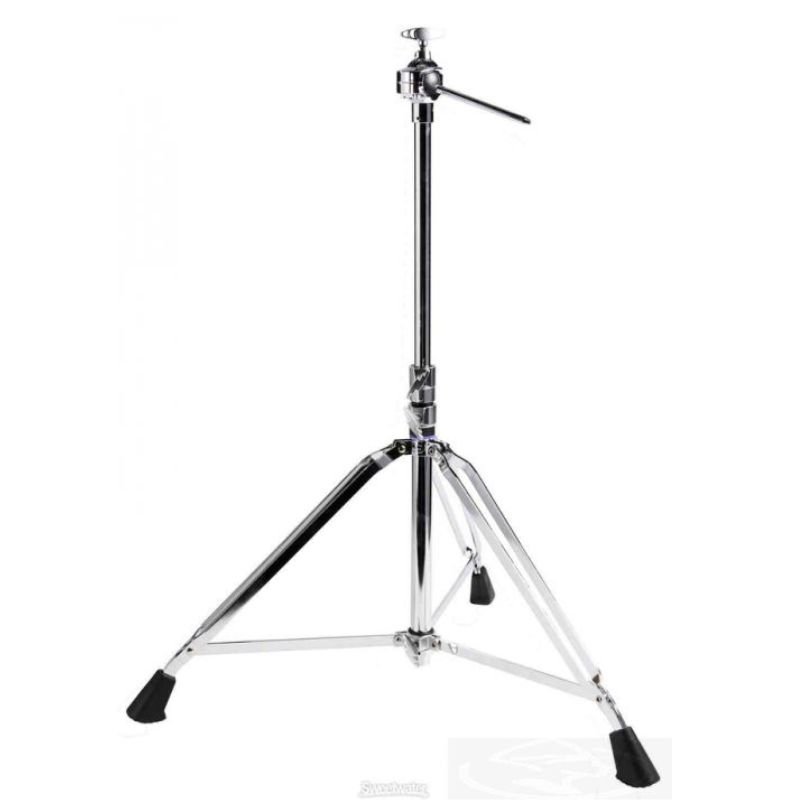
Here’s a step-by-step guide on how to set up and use the YAMAHA Microphone Stand PS940 DTXM12 Stand:
1. **Unboxing and Inspection**:
– Carefully unbox the YAMAHA Microphone Stand PS940 DTXM12 Stand.
– Inspect all components to ensure nothing is damaged or missing.
2. **Assembly**:
– Locate the base of the microphone stand and the stand itself.
– Insert the stand into the base and tighten the locking mechanism to secure it in place.
– If the stand has adjustable height settings, adjust it to your preferred height by loosening the height adjustment knob, raising or lowering the stand, and then tightening the knob to secure it in place.
3. **Attach Microphone Holder (if applicable)**:
– If your microphone stand includes a microphone holder or clip, attach it to the top of the stand.
– Most microphone holders have a screw or clamp mechanism for attaching to the stand. Follow the manufacturer’s instructions for proper installation.
4. **Mounting the Microphone**:
– Place your microphone into the microphone holder or clip.
– Adjust the angle and position of the microphone as needed to achieve the desired sound pickup.
5. **Securing Cables (if applicable)**:
– If you’re using the microphone stand with wired microphones, secure the microphone cable along the stand using cable clips or ties to prevent tripping hazards and ensure a clean setup.
6. **Testing**:
– Before using the microphone stand for a performance or recording session, conduct a test to ensure everything is set up correctly.
– Speak or sing into the microphone and listen for sound through your sound system or headphones to verify that the microphone is working properly.
7. **Adjustments**:
– Make any necessary adjustments to the microphone stand height or angle to optimize comfort and sound quality.
– Ensure that the microphone is positioned at the correct distance and angle relative to the sound source for optimal audio capture.
8. **Performance or Recording**:
– Once everything is set up and adjusted to your liking, you can begin your performance or recording session using the YAMAHA Microphone Stand PS940 DTXM12 Stand.
9. **Disassembly and Storage**:
– When you’re finished using the microphone stand, loosen any adjustment knobs and carefully disassemble the stand.
– Store the components in a safe and dry place to protect them from damage and ensure they’re ready for future use.
Following these steps will help you effectively set up and use the YAMAHA Microphone Stand PS940 DTXM12 Stand for your microphone needs.

 USAMS Iphone 11 Pro Metal Camera Lens Glass Film
1 × 1.900 OMR
USAMS Iphone 11 Pro Metal Camera Lens Glass Film
1 × 1.900 OMR  JOY PROFESSIONAL 2 in 1 Styling Brush
1 × 5.800 OMR
JOY PROFESSIONAL 2 in 1 Styling Brush
1 × 5.800 OMR  L-1 Professional Streaming Player Stand
1 × 13.900 OMR
L-1 Professional Streaming Player Stand
1 × 13.900 OMR 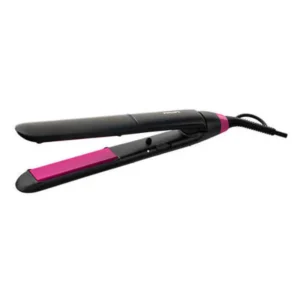 Philips Hair Straightener BHS375/03
1 × 12.900 OMR
Philips Hair Straightener BHS375/03
1 × 12.900 OMR  Mulliner Professional Hair Straightener ML-7012 65W
1 × 9.800 OMR
Mulliner Professional Hair Straightener ML-7012 65W
1 × 9.800 OMR  Tolaye Ks06 Keyboard Stand
1 × 14.000 OMR
Tolaye Ks06 Keyboard Stand
1 × 14.000 OMR  Boya By Wm4 Pro K3 2.4ghz Wireless Microphone System
1 × 49.900 OMR
Boya By Wm4 Pro K3 2.4ghz Wireless Microphone System
1 × 49.900 OMR  New Arrivals
 Offers
 Service & Repair



There are no reviews yet.