
-
×
 BBurago Metal Car Ferrari 296 GTB Size 1.18 18-16018
1 × 42.900 OMR
-
×
 Cle Usb Fridge
1 × 5.900 OMR
-
×
 DOBE PS4 TP4 023B Charging STAND
1 × 6.900 OMR
-
×
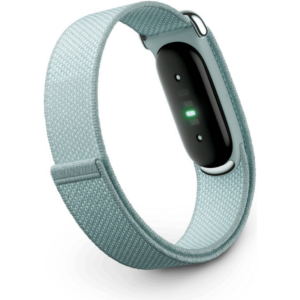 Google Fitbit Air Screen less Fitness & Health Tracking Band Fog
1 × 51.900 OMR
-
×
 USAMS Iphone 11 Pro Metal Camera Lens Glass Film
1 × 1.900 OMR
-
×
 Max Bms 135 Boom Mic Stand
1 × 9.500 OMR
-
×
 Cpt Guitar 3713c
1 × 3.800 OMR
-
×
 Apple Ipad Pro 12.9" 4th Gen Smart Keyboard Folio
1 × 94.900 OMR
-
×
 Logitech Stereo Headset H390 Usb Connector
1 × 10.200 OMR
-
×
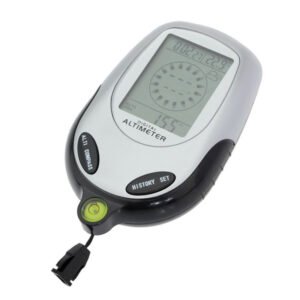 Multifunctional Digital Altimeter
1 × 6.400 OMR
-
×
 SONY PS4 NIOH 2 GAME CD
1 × 9.900 OMR
-
×
 iPhone SE 2020 - 128 GB - White
1 × 185.000 OMR
-
×
 Kalimba 17 Keys Finger Piano
2 × 13.800 OMR
-
×
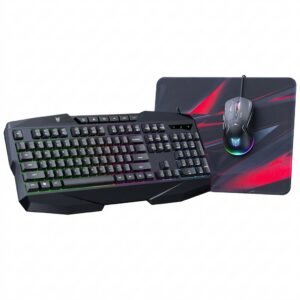 Onikuma 3-in-1 Professional Gaming Combo TZ3006
1 × 8.900 OMR
-
×
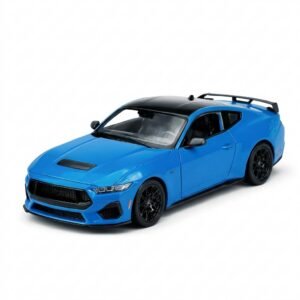 Welly Metal Car Ford Mustang GT Size 1.24 WL-24123W
1 × 12.900 OMR
-
×
 Cleo-EL Portable Power Station 300W ZHY-CN01
3 × 44.900 OMR
-
×
 Philips 1000 Series Body Groomer BG1025/15
3 × 10.900 OMR
-
×
 Telionix Electric Air Fryer 9L TAF4424
2 × 34.900 OMR
-
×
 BOYA BY MM1 MICROPHONE
1 × 3.500 OMR
-
×
 SONY PS4 STAR WARS SQUADRONS GAME CD
1 × 15.800 OMR
-
×
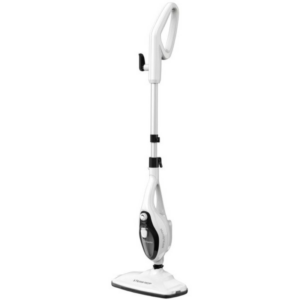 Telionix Steam Mop Cleaner TSM4961
1 × 14.900 OMR
-
×
 Google Fitbit Edge Fitness & Health Tracking Smart Band Black
1 × 86.900 OMR
Subtotal: 836.900 OMR
 New Arrivals
 Offers
 Service & Repair



There are no reviews yet.