
-
×
 XBOX ONE TOM CLANCY'S THE DIVISON 2 GAME CD
1 × 12.800 OMR
-
×
 Go-des Car Holder Gd- Hd708 Magnetic
1 × 2.500 OMR
-
×
 Dlc 8L Electric Pressure Cooker DLC 25608
1 × 26.900 OMR
-
×
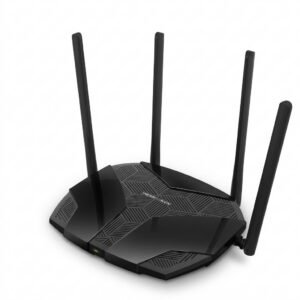 Mercusys AX3000 Dual-Band Wi-Fi 6 Router MR80X
7 × 15.900 OMR
-
×
 Maisto Metal Car Porsche 911 GT3 Size 1.18 36458
3 × 42.885 OMR
-
×
 Google Fitbit Edge Fitness & Health Tracking Smart Band Green
3 × 86.900 OMR
-
×
 Cleo-EL Portable Power Station 300W ZHY-CN01
1 × 44.900 OMR
-
×
 Philips 1000 Series Body Groomer BG1025/15
1 × 10.900 OMR
-
×
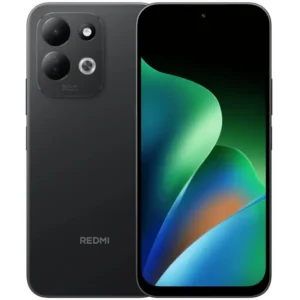 Redmi MI 17 4gb 128gb 5g Gsm
1 × 65.100 OMR
-
×
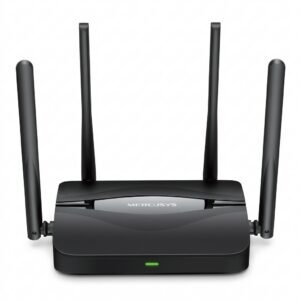 Mercusys BE3600 Dual Band Wi-Fi 7 Router MR25BE
2 × 19.900 OMR
-
×
 Google Fitbit Edge Fitness & Health Tracking Smart Band Black
1 × 86.900 OMR
-
×
 GameSir F5 Falcon Mini Mobile Gaming Controller
1 × 3.900 OMR
-
×
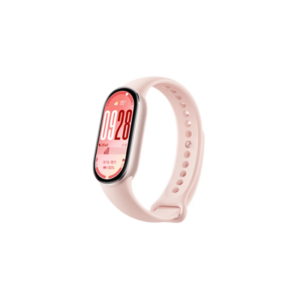 Xiaomi M2459B1 Smart Band 10 Mystic Rose
1 × 14.900 OMR
-
×
 Belkin F2CU012bt Mixit Cable Usb A to Micro 3mtr
1 × 1.900 OMR
-
×
 Used NOKIA E90
1 × 120.000 OMR
Subtotal: 931.155 OMR
 New Arrivals
 Offers
 Service & Repair


There are no reviews yet.