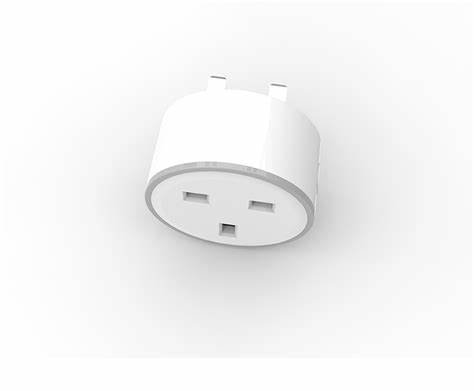
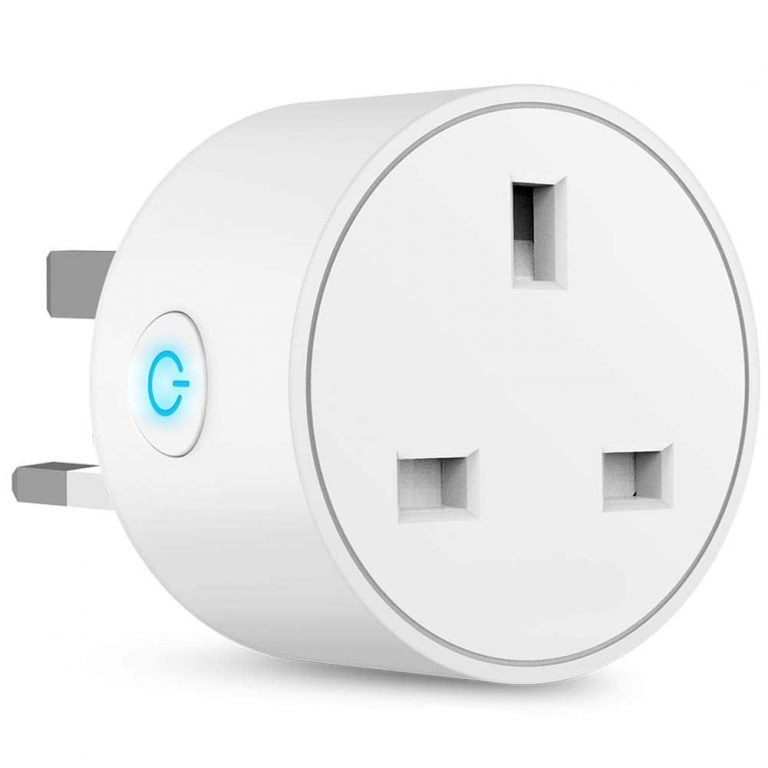
1. **Unboxing and Inspection:** Carefully unbox the WiFi Smart Plug and inspect it for any signs of damage. Ensure that all components are included and in good condition.
2. **Download the App:** Search for and download the corresponding mobile app for the WiFi Smart Plug. This app is typically provided by the manufacturer and available on both the App Store (for iOS devices) and Google Play Store (for Android devices).
3. **Plug in the Smart Plug:** Insert the WiFi Smart Plug into a standard UK power outlet. Make sure the outlet is easily accessible and not obstructed by furniture or other objects.
4. **Connect to WiFi:** Open the WiFi settings on your smartphone or tablet and connect to your home WiFi network. Make sure you have a stable internet connection.
5. **Add Device in the App:** Open the mobile app for the WiFi Smart Plug and follow the on-screen instructions to add a new device. This usually involves creating an account, selecting your device type (Smart Plug), and connecting it to your WiFi network.
6. **Sync with Smart Plug:** Press and hold the button on the WiFi Smart Plug until the LED indicator starts flashing rapidly. This indicates that the Smart Plug is ready to be paired with your mobile device
. 7. **Configure Settings:** Once the Smart Plug is detected by the app, follow the prompts to configure its settings. You may be asked to give the device a name (e.g., “Living Room Lamp”) and assign it to a specific room in your home
. 8. **Test the Smart Plug:** After setup is complete, test the Smart Plug by using the app to turn it on and off remotely. Ensure that it responds promptly to commands and that the LED indicator changes accordingly.
9. **Schedule and Automate:** Explore the app’s features to schedule timers, set up routines, and automate tasks for the WiFi Smart Plug. This allows you to control connected devices based on specific times or conditions
. 10. **Voice Control (Optional):** If supported, integrate the WiFi Smart Plug with your preferred voice assistant platform (e.g., Amazon Alexa, Google Assistant). Follow the instructions in the app to link your accounts and enable voice control.
11. **Additional Features:** Depending on the brand and model of the WiFi Smart Plug, you may have access to additional features such as energy monitoring, away mode, and group control. Explore these features and customize them to suit your needs.
12. **Troubleshooting:** If you encounter any issues during setup or operation, refer to the user manual provided with the WiFi Smart Plug or visit the manufacturer’s website for troubleshooting tips and support. By following these steps, you can effectively set up and use a WiFi Smart Plug with UK Pins to control your devices remotely and enhance your home automation experience.
Philips OneBlade 360 Shaver QP2734/23
Philips 1000 Series Body Groomer BG1025/15
Cleo-EL Portable Power Station 300W ZHY-CN01
Telionix Electric Air Fryer 9L TAF4424
Cleo-HB Portable Treadmill With Speaker
Cleo-SFO Ruay Fitness Pedal Exercise Machine R0221
Cleo Plastic Recorder
Max Bms 135 Boom Mic Stand
Sunglass Police SPLA56 COL.0722 145
SONY PS4 Final Fantasy XII GAME CD
SONY PS4 TONY HAWKS PRO SKATER 1+2 GAME CD
Boya Larger Diaphragm Condenser Microphone By M1000
CANON PIXMA 510 BLACK CARTRIDGE
SONY PS4 TOM CLANCY'S RAINBOW SIX SIEGE GAME CD
USB DATA CABLE PS4
Cle Usb Fridge
New Arrivals
Offers
Service & Repair


There are no reviews yet.