1. **Locate the Voucher Code**: Start by locating the voucher code provided with your Sony PS5 Fortnite Transformers Pack. This code is typically found on a card or inside the packaging of the game.
2. **Access the PlayStation Store**: Turn on your PlayStation 5 console and sign in to your PlayStation Network (PSN) account. From the main menu, navigate to the PlayStation Store using the controller.
3. **Redeem the Voucher Code**: In the PlayStation Store, select the “Redeem Codes” option from the menu. Enter the voucher code exactly as it appears on the card or packaging, using the on-screen keyboard. Once entered, confirm the code to redeem your Fortnite Transformers Pack.
4. **Download the Content**: After successfully redeeming the voucher code, navigate to the “Library” section of the PlayStation Store. Locate Fortnite in your library and select it to access the game’s page. From there, you should see the Transformers Pack content available for download. Select the content and initiate the download to add it to your Fortnite game.
5. **Access the Content in Fortnite**: Once the download is complete, launch Fortnite on your PlayStation 5 console. Navigate to the in-game item shop or customization menu to access the newly redeemed Transformers Pack content. You should now be able to equip and use the Transformers-themed skins, back blings, pickaxes, and other items in the game.
BBurago Metal Car Ferrari 296 GTB Size 1.18 18-16018
Hot Wheels Deutschland Design
Maisto Metal Car Porsche 911 GT3 Size 1.18 36458
Maisto Metal Car Porsche 911 Targa 4 GTS Size 1.18 31470
Cpt Guitar 3713c
Tolaye Ks06 Keyboard Stand
Meind 35 CB200 Car Power Adaptor
DOBE PS4 TP4 023B Charging STAND
Boya Wireless Microphone By Wm4 Pro
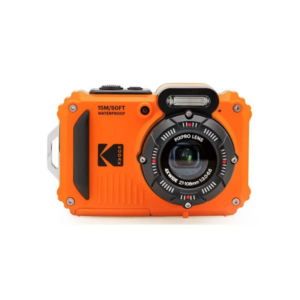
Kodak Pixpro Digital Camera WPZ2
Sony PS4 Spider Man Game CD
Sony PS4 Rust Console Edition Game CD
New Arrivals
Offers
Service & Repair


There are no reviews yet.