
-
×
 Cleo-SFO Smart Kitchen Scale KN2432LB
1 × 6.800 OMR
-
×
 Denx Glass Kettle DX2006
1 × 5.900 OMR
-
×
 Dlc Vacuum Bag 3747 50 Pcs
1 × 2.500 OMR
-
×
 SONY PS4 STAR WARS SQUADRONS GAME CD
1 × 15.800 OMR
-
×
 Moulinex Blender LM207128 700W
1 × 19.900 OMR
-
×
 SONY PS4 Toukiden2 GAME CD
1 × 7.700 OMR
-
×
 Boya By Wm8 Pro K2 Uhf Dual Channel Wireless Microphone
1 × 76.800 OMR
-
×
 Maisto Metal Car Porsche 911 GT3 Size 1.18 36458
3 × 42.885 OMR
-
×
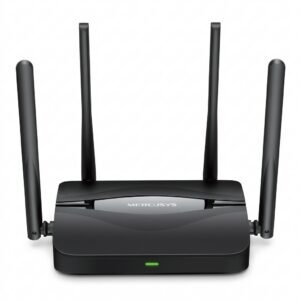 Mercusys BE3600 Dual Band Wi-Fi 7 Router MR25BE
10 × 19.900 OMR
-
×
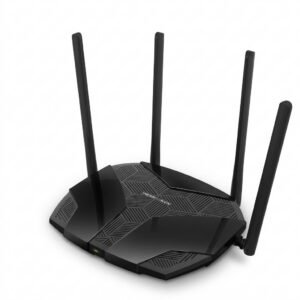 Mercusys AX3000 Dual-Band Wi-Fi 6 Router MR80X
7 × 15.900 OMR
-
×
 OCULUS QUEST2 ELITE STRAP with BATTERY and CARRYING CASE
1 × 36.400 OMR
-
×
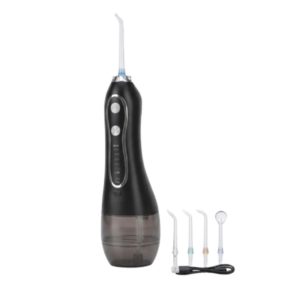 Blue Fire Hydrojet Portable Oral Irrigator BF-6
1 × 8.900 OMR
-
×
 Philips OneBlade 360 Shaver QP2734/23
1 × 22.900 OMR
-
×
 Cleo-EL Portable Power Station 300W ZHY-CN01
1 × 44.900 OMR
-
×
 Telionix Electric Air Fryer 9L TAF4424
1 × 34.900 OMR
-
×
 OTVO P4 USB DATA CABLE (For P4 Host & Handle)
1 × 1.900 OMR
Subtotal: 724.255 OMR
 New Arrivals
 Offers
 Service & Repair



There are no reviews yet.