
 New Arrivals
 Offers
 Service & Repair

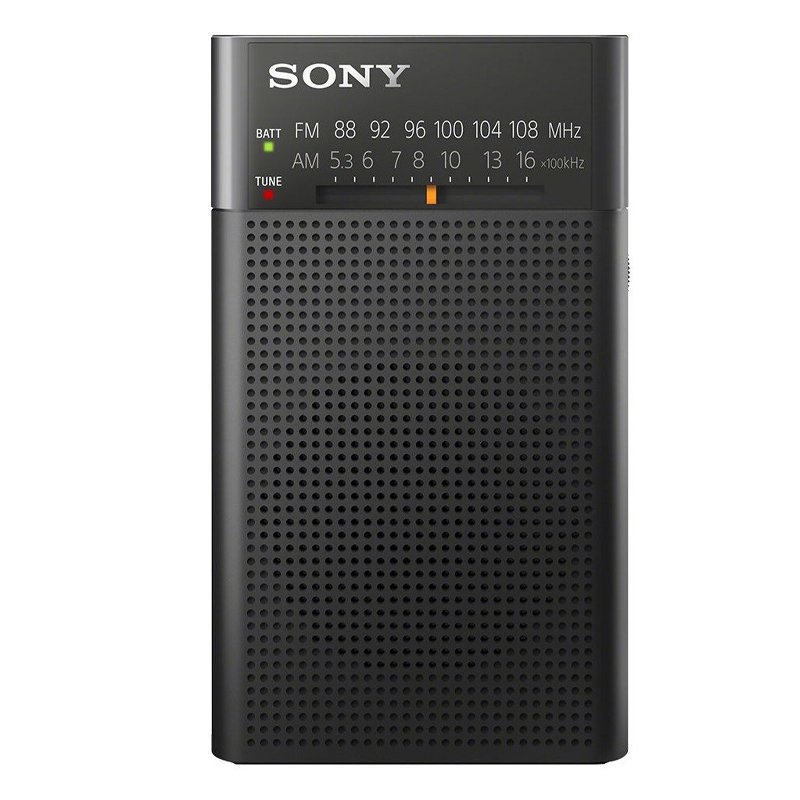
SONY ICF-P26 FM/AM Radio
SKU: SONY ICF-P26 FM/AM Radio
In stock
Integrated AM/FM radio tuner.
Built-in hand strap for increased portability.
Dedicated headphone socket for personal listening.
LED tuning and battery status indicators.
Powered by 2 x AA batteries.
9.800 OMR
In stock
1. **Unboxing and Inspection**: Begin by unboxing the SONY ICF-P26 FM/AM Radio and ensure that all components are present and undamaged. This typically includes the radio unit itself and any accompanying documentation such as the user manual.
2. **Powering the Radio**: Insert the required batteries into the battery compartment of the radio, following the polarity markings. Alternatively, some models may offer the option to power the radio using an AC adapter (sold separately). Choose the appropriate power source based on your preference and availability.
3. **Tuning and Mode Selection**: Turn on the radio using the power button or switch. Use the tuning dial or buttons to select between FM (Frequency Modulation) and AM (Amplitude Modulation) modes, depending on your desired radio station. Adjust the frequency or station using the tuning controls until you find a clear signal.
4. **Volume and Sound Adjustment**: Adjust the volume level using the volume knob or buttons to suit your preference. Some models may also offer additional sound adjustment options such as bass and treble controls for customizing the audio output according to your liking.
5. **Usage and Portability**: The SONY ICF-P26 FM/AM Radio is designed for portability, making it suitable for various settings such as home, office, outdoor activities, or travel. Carry the radio with you using the built-in handle or place it on a stable surface for stationary listening. Enjoy your favorite radio stations wherever you go, whether it’s during leisure time, while working, or on the move.
These steps should help you set up and enjoy your SONY ICF-P26 FM/AM Radio with ease.

There are no reviews yet.