1. **Power On**: Begin by turning on the SONY D1 CFM-D1MK2 FM/SW/MW/LW Radio using the power button. Typically, this button is located on the front or top of the device.
2. **Band Selection**: Use the band selector switch or buttons to choose the desired radio band. The SONY D1 CFM-D1MK2 supports multiple bands, including FM (Frequency Modulation), SW (Shortwave), MW (Medium Wave), and LW (Long Wave). Select the band you prefer to listen to.
3. **Tuning**: Adjust the tuning dial or buttons to scan through available frequencies within the selected radio band. Turn the dial slowly to fine-tune the frequency until you find clear reception of your desired radio station.
4. **Volume Adjustment**: Adjust the volume level using the volume control knob or buttons to your preferred listening level. Start with a low volume and gradually increase it until you reach the desired sound level.
5. **Enjoyment**: Once you’ve tuned in to your desired radio station and adjusted the volume, sit back and enjoy listening to a wide range of broadcasts on the SONY D1 CFM-D1MK2 FM/SW/MW/LW Radio. Whether at home, in the office, or on the go, this versatile radio provides reliable and clear sound for your listening pleasure.
Following these steps will help you set up and use the SONY D1 CFM-D1MK2 FM/SW/MW/LW Radio with ease.
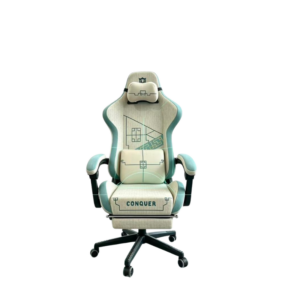
Cleo-GA Lxradeo Ergonomic Gaming Chair
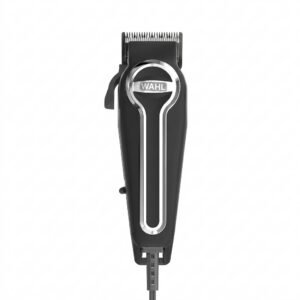
WAHL ELITE PRO HAIRCUTTING KIT
Cleo-TY Metal Car Bmw M3ST6505H CZ178
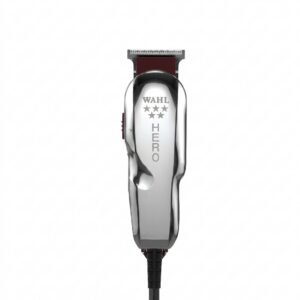
WAHL HERO PROFESSIONAL TRIMMER 8991
SONY PS4 Rocket Arena Game CD
TP Link HD 720P CLOUD CAMERA 300 Mbps WiFi NC 250
Bm 13k Bee Melodica
YH 31 PS4 2 in 1 Charging Heat Sink
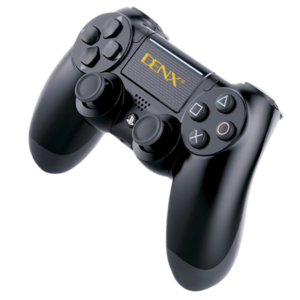
Denx PS 4 Dual Shock Wireless Controller
Used Sony Ericsson T39
DOBE PS4 TP4 023B Charging STAND
Cleo-TY Metal Car Nissan Patrol HT-CZ136B
Cleo-TY Metal Car Rolls Royce Phantom 1925 Size 1.24
OMNIKEY 3121 CARD READER
OTVO P4 USB DATA CABLE (For P4 Host & Handle)
New Arrivals
Offers
Service & Repair


There are no reviews yet.