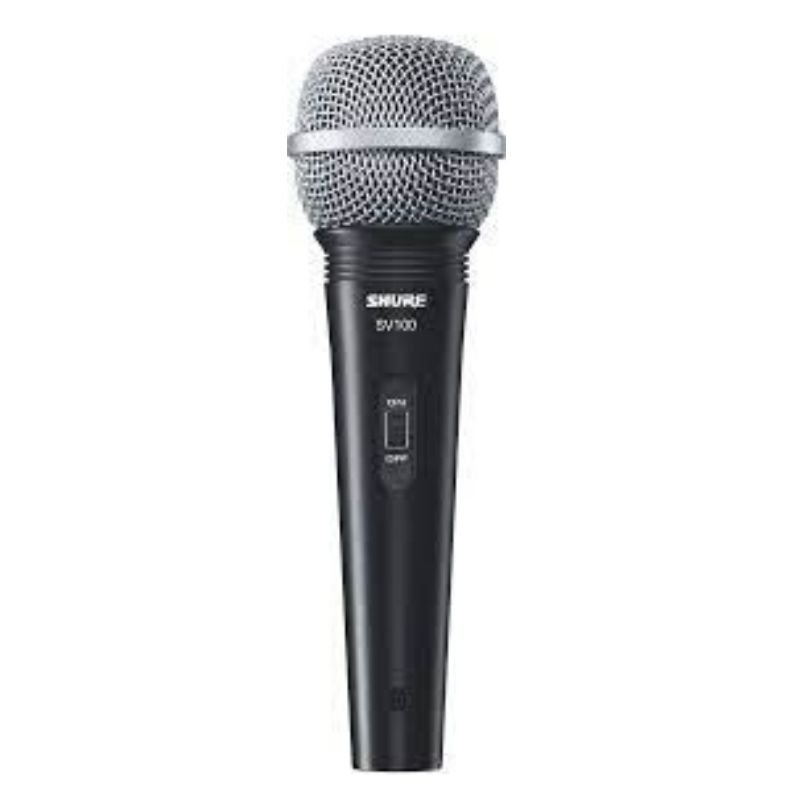
1. Position: Place the SHURE SV 100 Wired Mic securely on a microphone stand or hold it comfortably in your hand, ensuring the grille is facing your mouth for optimal sound capture.
2. Cable Connection: Attach one end of the microphone cable (XLR or 1/4-inch) to the bottom of the SHURE SV 100 Mic. Ensure the connector is securely inserted into the microphone’s input port.
3. Mixer Connection: Connect the other end of the microphone cable to an audio mixer or amplifier. Plug the cable into the appropriate input channel on the mixer or amplifier.
4. Check Levels: Before use, adjust the microphone input level on the mixer or amplifier to ensure optimal audio quality without clipping or distortion. Test the microphone by speaking or singing into it while monitoring the level meters.
5. Performance: Once levels are set, you’re ready to use the SHURE SV 100 Mic for your speaking or singing needs. Speak or sing directly into the microphone at a suitable distance to achieve clear and professional sound reproduction. Adjust the microphone position or settings on the mixer as needed for the best results.
Cleo Plastic Recorder
Denx Wireless Portable Juicer DX3227
Biba Flute Deluxe
3713c Music Guitar
Boya Wireless Microphone By Wm4 Pro
Boya Lavalier Microphone By M40d
OMNIKEY 3121 CARD READER
Boya By Wm4 Pro K3 2.4ghz Wireless Microphone System
YL Green Laser Pointer Black
RING SUPPLEMENTARY LAMP 36W + STAND
Yamaha Mg12xu Mixer
Washburn Oss Ou2 Ukulele
Multifunctional Digital Altimeter
Cleo-EL Sports Camera 4K With Wi-Fi H265
MULTI-FUNCTION USB MICRO CHECK CAMERA
Denx Multifunctional Grinder DX3222 300G
Bm 13k Bee Melodica
Max Bms 135 Boom Mic Stand
Max Er66 Megaphone
ANNKE DVR DN41R
Tolaye Ks06 Keyboard Stand
New Arrivals
Offers
Service & Repair

There are no reviews yet.