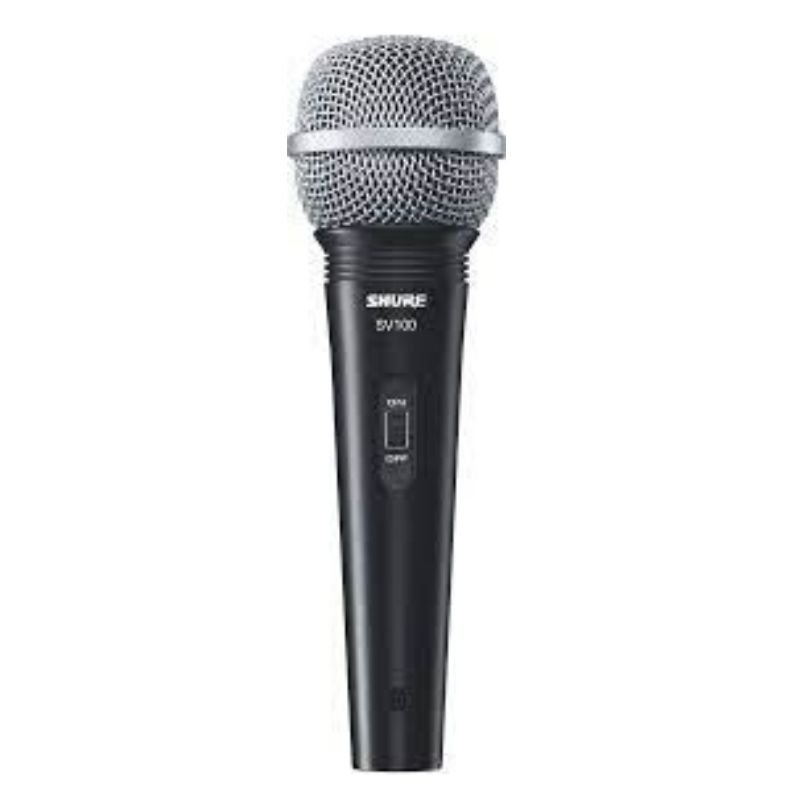
1. Position: Place the SHURE SV 100 Wired Mic securely on a microphone stand or hold it comfortably in your hand, ensuring the grille is facing your mouth for optimal sound capture.
2. Cable Connection: Attach one end of the microphone cable (XLR or 1/4-inch) to the bottom of the SHURE SV 100 Mic. Ensure the connector is securely inserted into the microphone’s input port.
3. Mixer Connection: Connect the other end of the microphone cable to an audio mixer or amplifier. Plug the cable into the appropriate input channel on the mixer or amplifier.
4. Check Levels: Before use, adjust the microphone input level on the mixer or amplifier to ensure optimal audio quality without clipping or distortion. Test the microphone by speaking or singing into it while monitoring the level meters.
5. Performance: Once levels are set, you’re ready to use the SHURE SV 100 Mic for your speaking or singing needs. Speak or sing directly into the microphone at a suitable distance to achieve clear and professional sound reproduction. Adjust the microphone position or settings on the mixer as needed for the best results.
SANDISK ULTRA 128GB DUAL DRIVE LUXE USB TYPE-C FLASH DRIVE
Candc DC C9 Cardioid Microphone
Ariete MOD 186 HOT DOG MAKER
Bm 13k Bee Melodica
HARMAN Kardon NEO Portable Speaker
Tolaye Ks06 Keyboard Stand
Biba Flute Deluxe
USAMS Iphone 11 Pro Metal Camera Lens Glass Film
Boya By Wm8 Pro K2 Uhf Dual Channel Wireless Microphone
Logitech Stereo Headset H390 Usb Connector
Denx Wireless Portable Juicer DX3227
Washburn Oss Ou2 Ukulele
Boya By Wm4 Pro K3 2.4ghz Wireless Microphone System
Boya Larger Diaphragm Condenser Microphone By M1000
Ahuja Utp30 Wired Tie Clip Mic
RING SUPPLEMENTARY LAMP 36W + STAND
Boya Lavalier Microphone By M40d
SONY PS4 HUNT SHOWDOWN GAME CD
XBOX FIFA 21 GAME ARABIC CD
New Arrivals
Offers
Service & Repair


There are no reviews yet.