
-
×
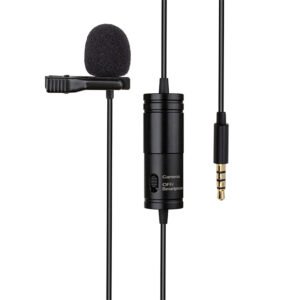 Atn1 Cable Condenser Lavalier Studio Clip
1 × 4.900 OMR
Atn1 Cable Condenser Lavalier Studio Clip
1 × 4.900 OMR
Subtotal: 4.900 OMR
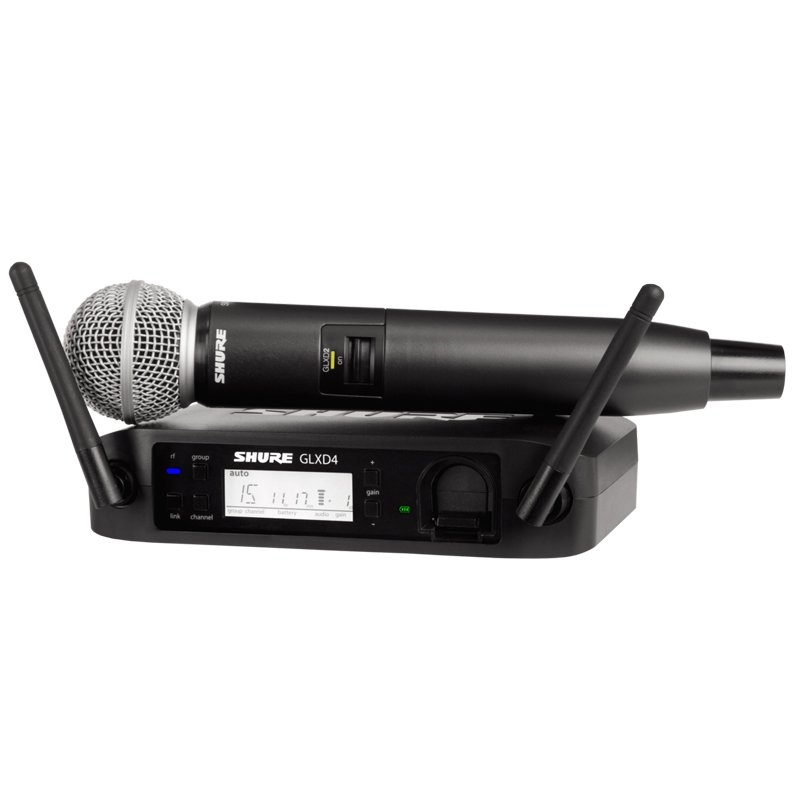
SKU: SHURE GLXD24UK/SM58-Z2 Vocal System
In stock
The SHURE GLXD24UK/SM58-Z2 Vocal System is a high-quality wireless microphone system designed for vocal performances. It features the legendary SM58 dynamic microphone capsule known for its clear and powerful sound reproduction. With Shure’s advanced digital wireless technology, the GLX-D24 receiver ensures reliable and interference-free signal transmission over a range of up to 60 meters. The system also offers convenient rechargeability, allowing for long-lasting performance without the hassle of disposable batteries. Ideal for professional singers, presenters, and performers, the SHURE GLXD24UK/SM58-Z2 Vocal System delivers exceptional sound quality and reliability on stage or in any live sound application.
175.000 OMR
In stock
1. **Unboxing and Preparation**: Start by unpacking the components of the SHURE GLXD24UK/SM58-Z2 Vocal System, including the GLXD4 wireless receiver, GLXD2 handheld transmitter with SM58 microphone capsule, power supply, microphone clip, and user manual. Ensure all components are in good condition and free from any damage.
2. **Receiver Setup**: Connect the provided power supply to the GLXD4 wireless receiver and plug it into a power outlet. Place the receiver in a suitable location near your audio mixer or sound system. Use the provided audio cables to connect the receiver’s output ports to your mixer or amplifier, ensuring a secure connection.
3. **Transmitter Pairing**: Power on the GLXD2 handheld transmitter by pressing and holding the power button until the LED indicator lights up. Press and hold the “Link” button on the receiver until the LED indicator starts blinking. Within 60 seconds, press the “Link” button on the transmitter to initiate pairing. Once paired, the LED indicators on both the receiver and transmitter will turn solid, indicating a successful connection.
4. **Microphone Placement**: Attach the included microphone clip to the GLXD2 handheld transmitter. Position the SM58 microphone capsule securely in the clip, ensuring it’s facing the correct direction for optimal sound pickup. Adjust the microphone angle and position according to your preference and the performance requirements.
5. **Testing and Performance**: Perform a sound check to ensure the SHURE GLXD24UK/SM58-Z2 Vocal System is functioning correctly. Speak or sing into the microphone and monitor the audio output through your sound system. Adjust volume levels and EQ settings as needed to achieve the desired sound quality. Once everything is set up and tested, you’re ready to use the system for live performances, presentations, or any other vocal applications with confidence.
*Ideal for youtube,vloggings,podcasts,mobile journalism and more *digital 2.4GHZwirleless system *apple MFI certified lightning connector *compatible with iOS device:ipad,iphone,ipod touch *master volume control *omnidirectional lavalier microphone included
 New Arrivals
 Offers
 Service & Repair


There are no reviews yet.