
-
×
 Biba Flute Deluxe
1 × 6.500 OMR
Biba Flute Deluxe
1 × 6.500 OMR
Subtotal: 6.500 OMR
SKU: 1410000045
In stock
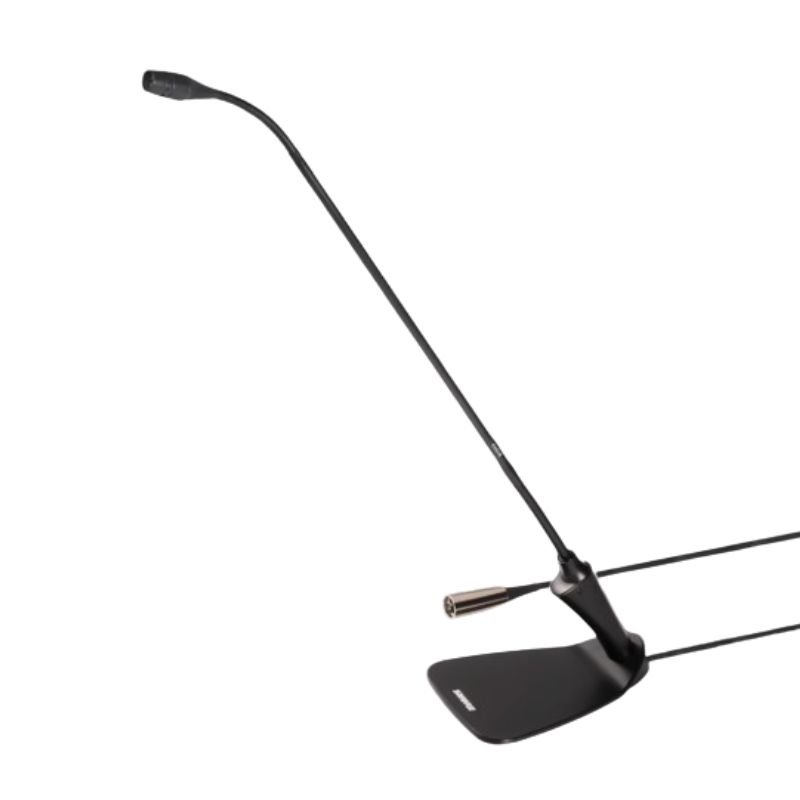
The Shure CVG18DS Microphone is a sleek, high-quality condenser microphone designed for conferencing and speech applications. Featuring a slim profile and an inline preamp, it delivers exceptional audio clarity while minimizing background noise and feedback. Its cardioid polar pattern ensures focused sound pickup, ideal for capturing the speaker’s voice while reducing unwanted ambient noise. With its discreet design and superior sound performance, the CVG18DS is an excellent choice for conference rooms, boardrooms, and other professional settings.
95.000 OMR
In stock
1. **Connect**: Plug the Shure CVG18DS Microphone into your audio interface or mixer using its appropriate connector.
2. **Position**: Adjust the microphone to the desired position, ensuring it’s close enough to capture clear audio while remaining discreet.
3. **Power**: If required, supply power to the microphone through your audio interface or mixer.
4. **Test**: Perform a quick test to ensure the microphone is picking up sound properly and adjust settings as necessary.
5. **Use**: Once configured, the Shure CVG18DS Microphone is ready to capture clear, focused audio for your conferencing or speech needs.
 New Arrivals
 Offers
 Service & Repair

There are no reviews yet.