
-
×
 Cleo Plastic Recorder
1 × 0.700 OMR
Cleo Plastic Recorder
1 × 0.700 OMR -
×
 Boya By Wm8 Pro K2 Uhf Dual Channel Wireless Microphone
1 × 76.800 OMR
Boya By Wm8 Pro K2 Uhf Dual Channel Wireless Microphone
1 × 76.800 OMR
Subtotal: 77.500 OMR
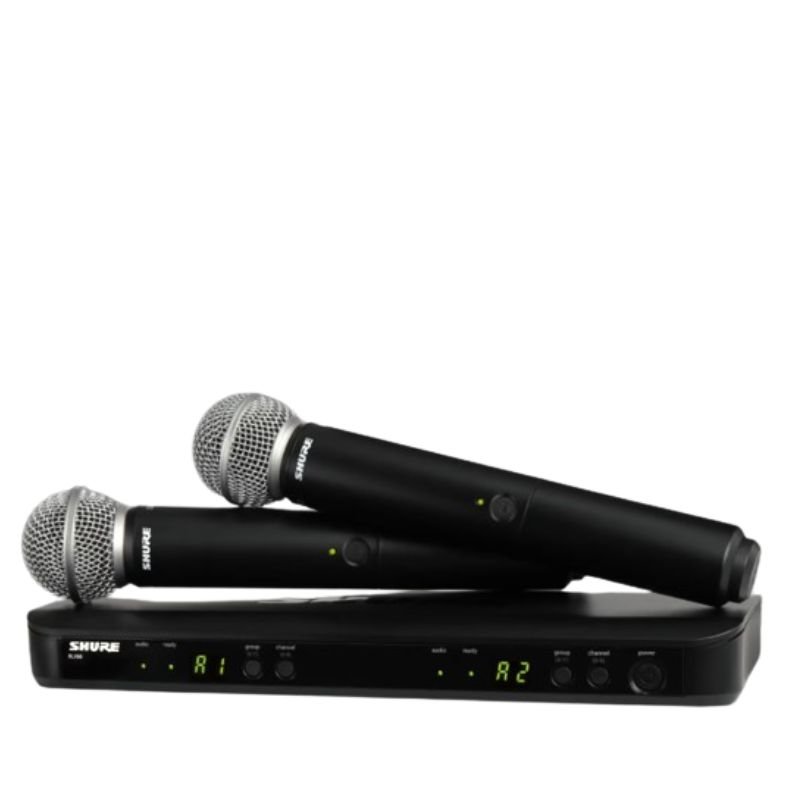
SKU: 141002000017
In stock
The Shure BLX288/SM58 Microphone System is a professional-grade wireless dual-channel microphone system designed for exceptional sound quality and reliability. Featuring two SM58 microphone capsules, renowned for their clarity and durability, this system is ideal for live performances, events, and presentations where multiple vocalists or speakers need to be heard. With easy setup and dependable wireless connectivity, the BLX288 receiver ensures seamless operation, while the rugged construction of the system guarantees durability for on-the-go use. Trusted by professionals worldwide, the Shure BLX288/SM58 delivers unmatched performance and versatility for a wide range of applications.
280.000 OMR
In stock
1. **Power On**: Insert fresh batteries into both microphone transmitters and the receiver. Power on all devices using their respective power buttons or switches.
2. **Frequency Selection**: Use the frequency selection feature on the receiver to choose clear and interference-free frequencies for both channels.
3. **Syncing Transmitters and Receiver**: Press the sync button on the receiver unit and hold it until the sync LED starts blinking. Then, press the sync buttons on both microphone transmitters to establish a secure connection.
4. **Microphone Setup**: Attach the SM58 microphone capsules to the transmitters by securely screwing them onto the tops of the units. Position the microphones according to your preference for optimal sound capture.
5. **Sound Check**: Perform a sound check to adjust volume levels and equalization settings as needed for each microphone channel. Monitor the audio output from the receiver unit to confirm that both microphones are functioning correctly and delivering clear sound.
| Weight | 1 kg |
|---|
*Super clear recording sound *compatible with smartphones,DSLR cameras,consumer camcorders,PCs etc *lighweight and compact for easy carrying *omnidirectional lavalier microphone *hard case included *standard camera shoe mout and clip included *operation range up to 50cm *power supplied by two AAA batteries for both transmitter and receiver
 New Arrivals
 Offers
 Service & Repair


There are no reviews yet.