1. **Unboxing**: Carefully open the packaging of the SanDisk Ultra SDHC UHS-1 SD Card 256GB and remove the card from its packaging.
2. **Inspect the Card**: Before use, inspect the SD card for any visible damage or defects. Ensure that the card is genuine and matches the specifications stated on the packaging.
3. **Device Compatibility**: Check if your device supports SDHC cards and is compatible with SDHC UHS-1 cards like the SanDisk Ultra SDHC UHS-1 SD Card 3256GB. Most digital cameras, camcorders, and other electronic devices support SDHC cards.
4. **Insert the Card**: Locate the SD card slot on your device and insert the SanDisk Ultra SDHC UHS-1 SD Card 256GB into the slot. Ensure that the card is inserted in the correct orientation to avoid damaging the card or the device.
5. **Format the Card (Optional)**: If the SD card is new or has been used in another device, it’s recommended to format the card using your device’s formatting function. This ensures compatibility and removes any existing data or file system errors.
6. **Storage Allocation**: Set your device to save photos, videos, or other files directly to the SanDisk Ultra SDHC UHS-1 SD Card 32GB if applicable. This can usually be done through your device’s settings or menu options.
7. **Capture Media**: Use your device to capture photos, record videos, or store other types of data directly onto the SanDisk Ultra SDHC UHS-1 SD Card 256GB. The card’s high-speed performance ensures smooth and reliable recording of Full HD content.
8. **Transfer Data (Optional)**: If needed, use a compatible card reader or adapter to transfer files between the SanDisk Ultra SDHC UHS-1 SD Card 256GB and your computer or other devices. Follow the instructions provided with the card reader or adapter for proper usage.
9. **Eject the Card**: When finished using the SD card, safely eject it from your device to prevent data loss or corruption. Follow the proper ejection procedure outlined in your device’s user manual to avoid damaging the card or the device.
10. **Storage and Care**: Store the SanDisk Ultra SDHC UHS-1 SD Card 256GB in a protective case or sleeve when not in use to prevent physical damage or exposure to environmental hazards. Avoid bending, dropping, or exposing the card to extreme temperatures or moisture.
By following these steps, you can effectively use the SanDisk Ultra SDHC UHS-1 SD Card 256GB to store and transfer your valuable data with ease and reliability.
Bm 13k Bee Melodica
Ahuja Utp30 Wired Tie Clip Mic
DOBE PS4 TP4 023B Charging STAND
Lavalier Microphone Lj02
Candc DC C9 Cardioid Microphone
Boya Wireless Microphone By Wm4 Pro
Sony PS4 Spider Man Game CD
OMNIKEY 3121 CARD READER
GameSir F5 Falcon Mini Mobile Gaming Controller
Cle Usb Fridge
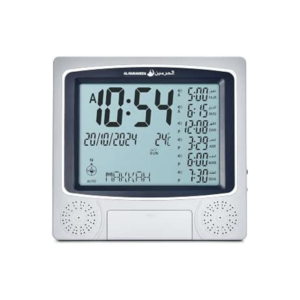
Al-Harameen Digital Azan Clock HA 4010
Nintendo Switch Oled 64GB Console White
Cleo-TY Mercedes Benz G65 Metal Car M923
Cleo-TY Kids Scooter HB 919-E1
BBurago Metal Car Ferrari 296 GTB Size 1.18 18-16018
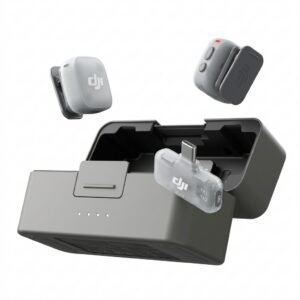
Dji Mini 2 Wireless Microphone DMMR02
BK-20 OUD OIL BUKHOOR BURNER
Apple Ipad Pro 12.9" 4th Gen Smart Keyboard Folio
OTVO P4 USB DATA CABLE (For P4 Host & Handle)
L-1 Professional Streaming Player Stand
New Arrivals
Offers
Service & Repair

There are no reviews yet.