1. **Unboxing**: Carefully unbox the Samsung Galaxy Watch 6 SM-R940. Remove all packaging materials and set them aside.
2. **Inspect Contents**: Check the box contents to ensure everything is included as advertised. You should find the Galaxy Watch 6, wireless charging dock, user manual, and any additional accessories.
3. **Charging**: Place the Galaxy Watch 6 on the wireless charging dock provided in the box. Ensure that the charging dock is connected to a power source using the included USB cable. Allow the watch to charge fully before initial use. An LED indicator on the charging dock will show when it’s charging.
4. **Power On**: Once charged, press and hold the power button on the side of the Galaxy Watch 6 to power it on. Follow the on-screen instructions to begin the setup process.
5. **Language and Region**: Select your preferred language and region for the device interface.
6. **Pairing with Smartphone**: Download and open the Samsung Galaxy Wearable app on your compatible smartphone (Android or iOS). Follow the prompts to pair the Galaxy Watch 6 with your smartphone via Bluetooth. Ensure that Bluetooth is enabled on your smartphone.
7. **Software Update (if applicable)**: During the setup process or through the Galaxy Wearable app, check for and install any available software updates for the Galaxy Watch 6. This ensures that you have the latest features and improvements.
8. **Set Up Samsung Account (if applicable)**: If you don’t have a Samsung account already, you may be prompted to create one during the setup process. This account allows you to access Samsung services and sync data across devices.
9. **Customize Settings**: Customize various settings on the Galaxy Watch 6, such as watch face, notifications, sound, and display settings, according to your preferences.
10. **Fitness and Health Features**: Explore the various fitness and health features of the Galaxy Watch 6, including heart rate monitoring, sleep tracking, workout tracking, and stress management. Set up any additional apps or services you wish to use for health and fitness tracking.
11. **Connectivity Features**: Utilize the built-in GPS feature of the Galaxy Watch 6 for accurate tracking of outdoor activities and navigation. You can also connect the watch to Wi-Fi networks for data synchronization and software updates.
12. **Usage**: Once setup is complete, wear the Galaxy Watch 6 on your wrist and enjoy its features and functionalities. Use it to track your fitness activities, receive notifications, make calls (if paired with a smartphone), listen to music, and more.
13. **Explore Galaxy Store**: Browse the Galaxy Store for additional watch faces, apps, and widgets to personalize your Galaxy Watch 6 experience.
14. **Charging and Maintenance**: Place the Galaxy Watch 6 on the wireless charging dock to recharge it when the battery is low. Follow any maintenance instructions provided in the user manual to keep your watch in optimal condition.
15. **Enjoy**: With the setup complete, enjoy using your Samsung Galaxy Watch 6 SM-R940 44mm GPS for fitness tracking, smart notifications, and more, enhancing your daily life and activities.
Kalimba 17 Keys Finger Piano
CPT 73247 1-24 Chevrolet Burgundy Metal Car
Cpt Ht-xm-6820 Wire Crane
XBOX ONE TOM CLANCY'S THE DIVISON 2 GAME CD
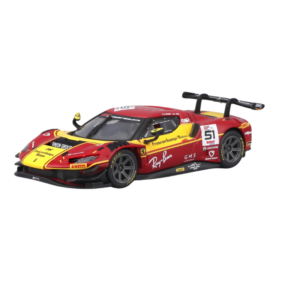
BBurago Metal Car Ferrari 296 GT3 Size 1.43 18-36323
Cleo-TY Kids Scooter HB 919-E1
Cleo-TY Kids Water Gun 8899A 3
WAHL HOME PRO 300 SERIES HAIRCUT KIT
Cle Usb Fridge
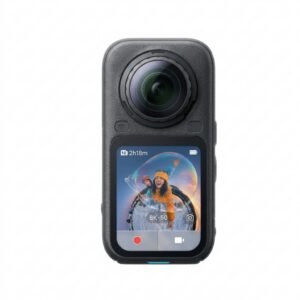
Insta360 X6 8K 360 Action Camera
Boya Larger Diaphragm Condenser Microphone By M1000
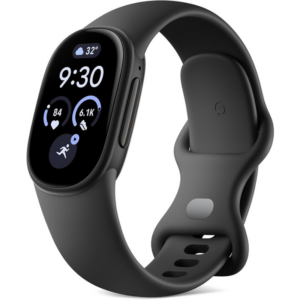
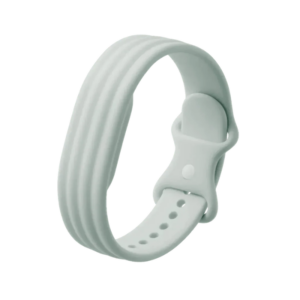
Google Fitbit Edge Fitness & Health Tracking Smart Band Black
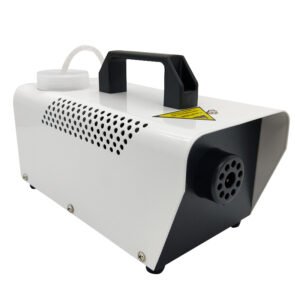
400W Disinfection Mini Fogger Machine
Dji Mini Wireless Microphone DMMR01
Dji Mini 2 Wireless Microphone DMMR02
Hot Wheels Deutschland Design
Ipega Gladiator Game Joystick For Smart Phone Pg-9135
Maisto Metal Car Porsche 911 GT3 Size 1.18 36458
Google Fitbit Edge Fitness & Health Tracking Smart Band Green
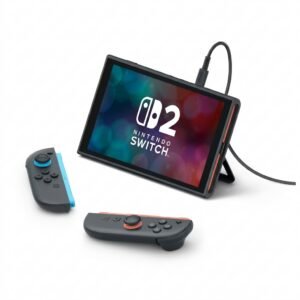
Nintendo Switch 2 Pokemon Pokopia Limited Edition Console
Redmi Smart Watch5 Lite M2352
New Arrivals
Offers
Service & Repair

There are no reviews yet.