
-
×
 USAMS Iphone 11 Pro Metal Camera Lens Glass Film
1 × 1.900 OMR
USAMS Iphone 11 Pro Metal Camera Lens Glass Film
1 × 1.900 OMR
Subtotal: 1.900 OMR
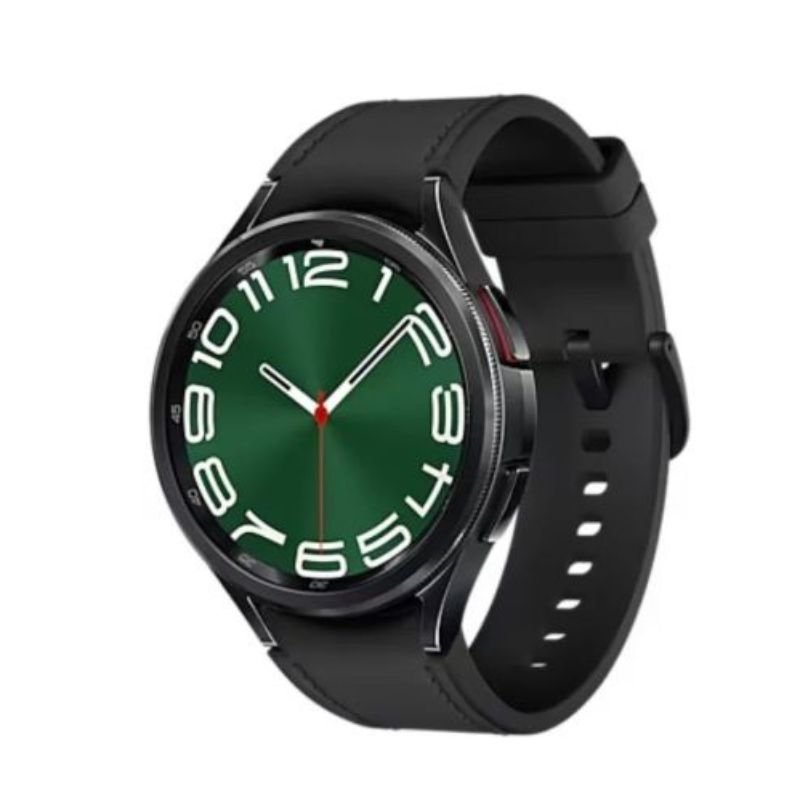
SKU: SAMSUNG GALAXY WATCH 6 CLASSIC 47MM
Out of stock
The Samsung Galaxy Watch 6 Classic (47mm) is a sophisticated smartwatch that seamlessly blends style with functionality. Featuring a timeless design with a rotating bezel for easy navigation, it offers a range of features including health and fitness tracking, notifications, and music controls. With its vibrant display and long-lasting battery life, it’s the perfect companion for both everyday wear and active lifestyles. Stay connected and organized with the Samsung Galaxy Watch 6 Classic.
Out of stock
1. **Power On and Set Up**: Press and hold the bottom button (the home button) on the right-hand side of the watch to power it on. Follow the on-screen instructions to select your language, connect to your smartphone via Bluetooth, and configure basic settings such as date and time.
2. **Customize Watch Face**: Once the setup is complete, swipe left or right on the watch face to browse through available watch faces. Tap and hold on the watch face to enter customization mode, where you can change complications, colors, and styles to suit your preferences.
3. **Explore Features**: Use the rotating bezel or swipe up and down on the touchscreen display to navigate through the watch’s features and apps. Explore options such as notifications, health tracking, music controls, and more. Tap on an app icon to open it and access its functions.
4. **Health and Fitness Tracking**: Utilize the Samsung Health app to track your health and fitness goals. Start a workout session by selecting the exercise type from the list of activities, and the watch will monitor your heart rate, steps taken, calories burned, and other metrics in real-time.
5. **Stay Connected**: Receive notifications for calls, messages, emails, and app alerts directly on your Galaxy Watch 6 Classic. Use the watch to view incoming notifications and respond to messages or calls if supported by the device. Ensure that your watch is connected to your smartphone via Bluetooth for seamless notification delivery.
 New Arrivals
 Offers
 Service & Repair


There are no reviews yet.