
 New Arrivals
 Offers
 Service & Repair

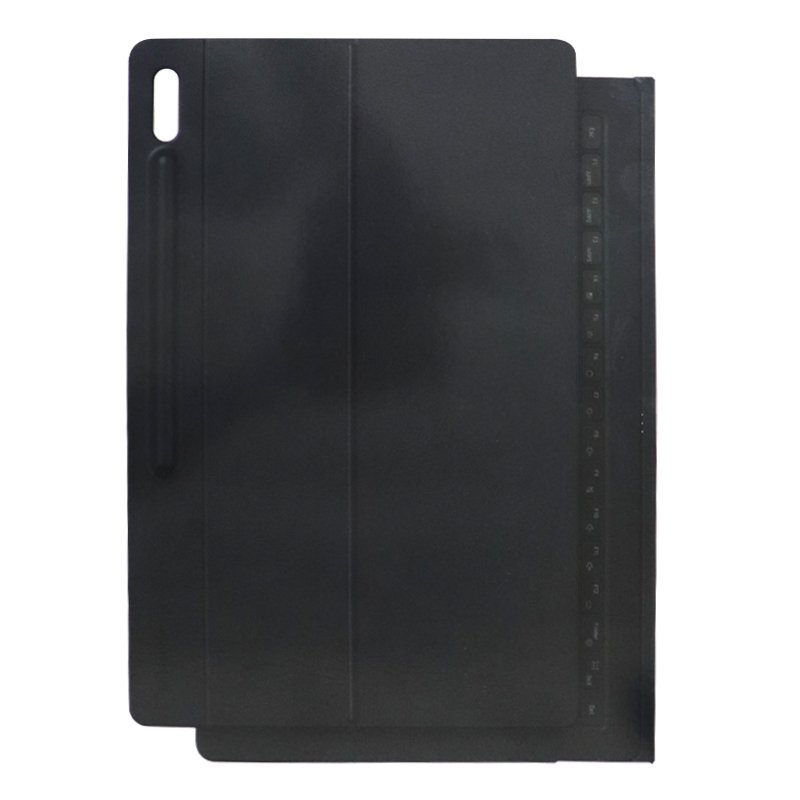
SAMSUNG GALAXY EF-DX900U TAB S8 ULTRA KEYBOARD CASE ARABIC – ORGINAL
SKU: SAMSUNG EF-DX900U S8 ULTRA KEYBOARD CASE ARABIC
Out of stock
The Samsung Galaxy EF-DX900U Tab S8 Ultra Keyboard Case Arabic – Original is a sleek and functional accessory designed specifically for the Samsung Galaxy Tab S8 Ultra tablet. Featuring an Arabic keyboard layout, it offers convenience for Arabic-speaking users. The keyboard case provides a secure fit for the tablet, along with Bluetooth connectivity for seamless pairing. With its durable construction and integrated features, it enhances productivity and protection for your device.
Out of stock
1. **Unboxing**: Open the package containing the Samsung Galaxy EF-DX900U Tab S8 Ultra Keyboard Case. Inside, you’ll find the keyboard case, any additional accessories, and the user manual.
2. **Compatibility Check**: Ensure that the keyboard case is compatible with your Samsung Galaxy Tab S8 Ultra tablet. Confirm that the tablet fits securely into the designated slot or attachment points.
3. **Attaching the Tablet**: Insert your Samsung Galaxy Tab S8 Ultra tablet into the designated slot or attachment points on the keyboard case. Make sure it fits snugly and securely.
4. **Connecting via Bluetooth**: Enable Bluetooth on your tablet if it’s not already enabled. Turn on the Bluetooth feature on the keyboard case by pressing the designated pairing button. Then, select the keyboard case from the list of available Bluetooth devices on your tablet to pair them.
5. **Adjusting Viewing Angle**: Adjust the viewing angle of your tablet by tilting it within the keyboard case. Some keyboard cases offer multiple viewing angles to suit your preference and comfort.
6. **Using the Keyboard**: Once paired, you can use the keyboard to type, navigate, and control your tablet. Familiarize yourself with the layout and functionality of the keyboard, including special keys for functions like volume control, screen brightness, and media playback.
7. **Charging the Keyboard**: If the keyboard case has a built-in rechargeable battery, connect it to a power source using the provided USB charging cable to charge it as needed. The LED indicator on the keyboard case will show the charging status.
8. **Detaching the Tablet**: If you need to use your tablet without the keyboard case, simply detach it from the case by gently pulling it out of the slot or attachment points.
9. **Folding and Closing**: When not in use, you can fold the keyboard case to cover the tablet screen and protect it from scratches or damage. Secure the closure mechanism, if provided, to keep the case closed during transport.
10. **Maintenance**: Keep the keyboard case clean by wiping it with a soft, dry cloth as needed. Avoid exposing it to liquids or extreme temperatures, as this may damage the components.
Following these steps will help you effectively set up and use the Samsung Galaxy EF-DX900U Tab S8 Ultra Keyboard Case Arabic – Original with your Samsung Galaxy Tab S8 Ultra tablet.
There are no reviews yet.