
 New Arrivals
 Offers
 Service & Repair

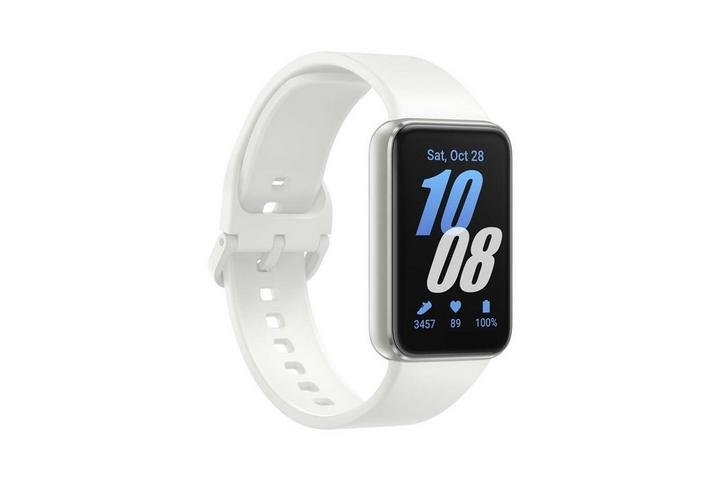
Samsung Galaxy Fit 3 Smart Band Silver
SKU: 20502000067
In stock
Lasts up to 13 days on a single charge. Sits lightly on your wrist, tracking over 100 workouts and daily activities, including sleep. Lets you play music, check calls and send texts right from your wrist — stay empowered, connected and effortlessly on track with Galaxy Fit3
12.500 OMR
In stock
1. **Unboxing**: Carefully unbox the Samsung Galaxy Fit-3 Smart Band, ensuring that all components, including the band itself, charging cable, and any documentation, are present and undamaged.
2. **Charging**: Before you start using the smart band, it’s recommended to charge it fully. Connect the charging cable to the charging port on the back of the device, then plug the other end into a power source such as a USB wall adapter or computer.
3. **Pairing with Smartphone**: Download and install the Samsung Galaxy Wearable app on your smartphone from the appropriate app store (Google Play Store for Android, Apple App Store for iOS). Follow the on-screen instructions to pair your smart band with your smartphone via Bluetooth.
4. **Customization**: Once paired, open the Galaxy Wearable app to customize your smart band settings. You can personalize watch faces, set up notifications for calls, messages, and apps, adjust exercise and health tracking preferences, and more.
5. **Wearing and Daily Use**: Put on the Samsung Galaxy Fit-3 Smart Band on your wrist and adjust the strap for a comfortable fit. Use the touch-sensitive display to navigate through the menus, check the time, view notifications, track your fitness activities, monitor your heart rate, and access other features.
| Weight | 1 kg |
|---|
There are no reviews yet.