
-
×
 Cle Usb Fridge
1 × 5.900 OMR
Cle Usb Fridge
1 × 5.900 OMR
Subtotal: 5.900 OMR
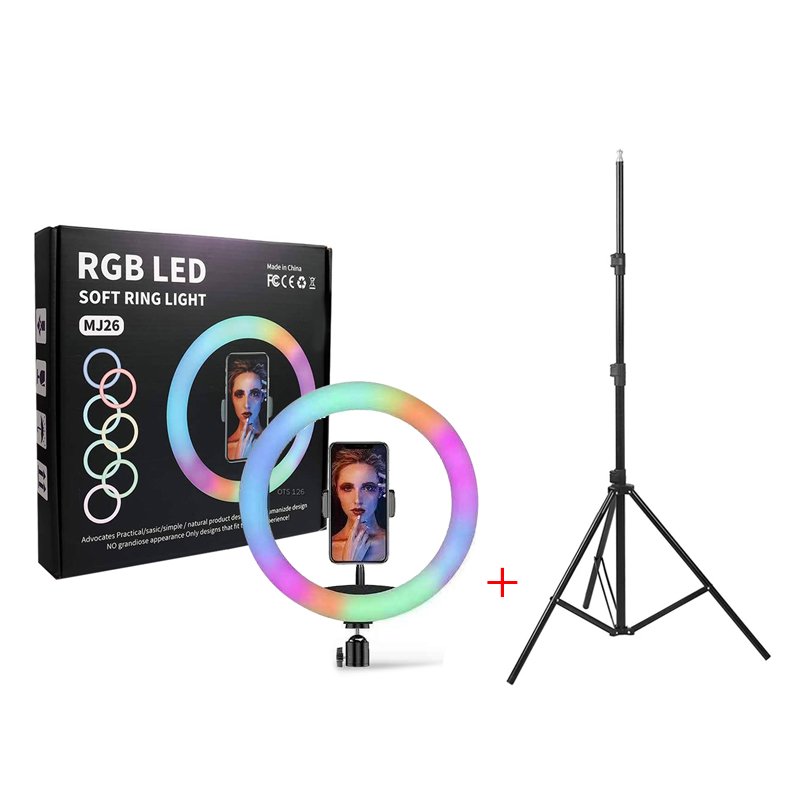
SKU: LED SOFT RING LIGHT MJ26
Out of stock
The RGB LED Soft Ring Light MJ26 with Stand is a versatile lighting solution for photography, videography, and content creation. With its customizable RGB colors, this ring light allows you to create dynamic and vibrant lighting effects to suit your style and mood. The included stand offers stability and adjustability, making it easy to position the light at the perfect angle. Compact and easy to set up, the RGB LED Soft Ring Light MJ26 is ideal for adding a professional touch to your photos and videos.
Out of stock
1. **Assemble the Stand**: Begin by assembling the stand according to the provided instructions. Extend the legs and adjust the height to your preferred level. Ensure the stand is stable and positioned on a flat surface.
2. **Attach the Ring Light**: Fix the RGB LED Soft Ring Light MJ26 onto the stand’s mounting bracket. Most ring lights come with a bracket or attachment mechanism for easy installation. Secure the ring light to the bracket firmly.
3. **Connect Power**: Plug the power cord of the ring light into a power source. Depending on the model, it may be powered by batteries or a USB cable. Ensure the cord is securely connected and there are no exposed wires.
4. **Turn On the Light**: Locate the power switch or button on the ring light and turn it on. The light may offer multiple lighting modes and color options. Use the controls to select your desired lighting mode and adjust the brightness and color settings as needed.
5. **Adjust the Angle**: Utilize the adjustable arm or head of the stand to position the ring light at the desired angle. Tilt and rotate the light to ensure it illuminates your subject evenly and effectively.
Following these steps will help you set up and utilize the RGB LED Soft Ring Light MJ26 with Stand effectively for your photography, videography, or content creation needs.
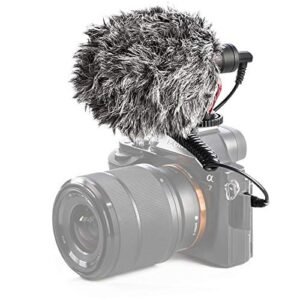
– Brand: CANDC
– Polar Pattern : Cardioid
– Professional Furry Windshield Included
– Compact and Lightweight Directional Mic
– Compatible with Smartphones, Tablets, DSLR Cameras, Consumer Camcorders, Audio Recorders etc
 New Arrivals
 Offers
 Service & Repair

There are no reviews yet.