
-
×
 DOBE PS4 TP4 023B Charging STAND
1 × 6.900 OMR
DOBE PS4 TP4 023B Charging STAND
1 × 6.900 OMR
Subtotal: 6.900 OMR
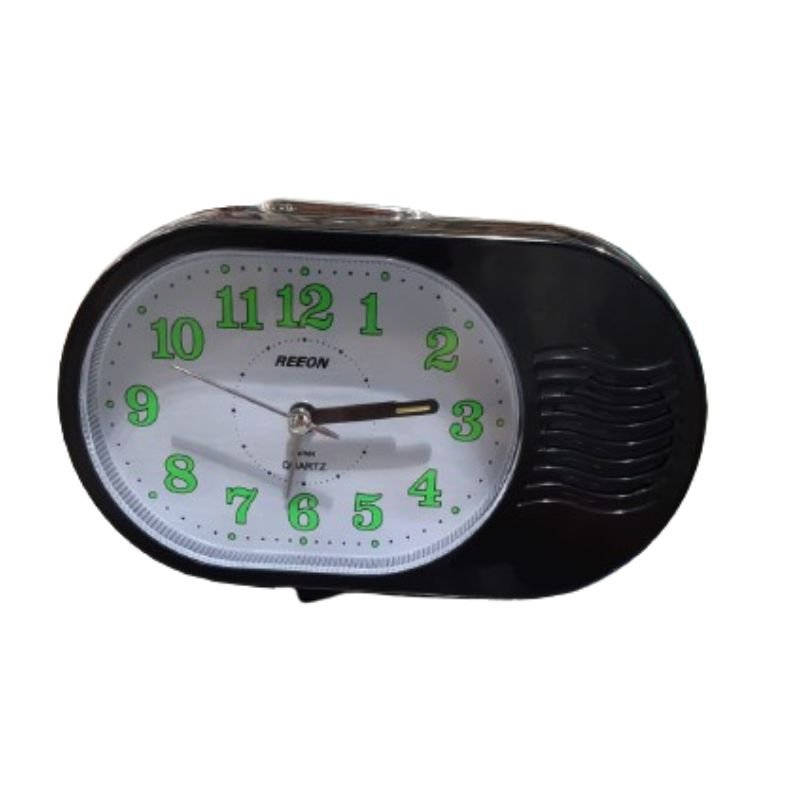
SKU: REEON RN 397 ALARAM CLOCK
Out of stock
The REEON RN 397 Alarm Clock is a stylish and feature-packed addition to any bedside table. With its sleek design and large LED display, it provides easy visibility of the time, day, and date. This alarm clock offers multiple alarm settings, allowing you to wake up to your favorite radio station or a traditional buzzer sound. The dual alarm function is ideal for couples or individuals with different wake-up times. Additionally, it includes a convenient USB charging port for powering your devices overnight. With its modern features and user-friendly design, the REEON RN 397 Alarm Clock ensures you start your day on time and in style.
Out of stock
1. **Unboxing**: Carefully unpack the REEON RN 397 Alarm Clock from its packaging. Ensure that all components, including the main unit, power adapter (if necessary), and any user manuals, are present.
2. **Powering On**: If the clock operates using batteries, open the battery compartment and insert the required batteries according to the polarity markings. Alternatively, if it uses a power adapter, plug it into a suitable power outlet. The clock should power on automatically once connected to power.
3. **Setting the Time**: Look for the “Time Set” button on the clock’s interface. Press and hold this button until the time display starts flashing. Use the directional buttons or dial, if available, to adjust the hours and minutes to the correct time. Press the “Time Set” button again to confirm the settings.
4. **Setting the Date**: If the clock displays the date, locate the “Date Set” button. Press and hold this button until the date display starts flashing. Use the directional buttons or dial to adjust the month, day, and year. Press the “Date Set” button again to confirm the settings.
5. **Setting the Alarm**: Find the “Alarm Set” button on the clock. Press and hold it until the alarm time starts flashing. Use the directional buttons or dial to adjust the desired alarm time. Press the “Alarm Set” button again to confirm the settings.
6. **Choosing Alarm Sound**: Depending on the model, you may have options for the alarm sound. Look for buttons labeled “Alarm Sound” or similar. Press these buttons to cycle through the available sound options, such as beeping, radio, or nature sounds.
7. **Setting Dual Alarms (if applicable)**: If the clock has dual alarm functionality, repeat the steps above to set the second alarm time.
8. **Testing the Alarm**: After setting the alarm(s), it’s a good idea to test them to ensure they function correctly. Set the alarm to go off a few minutes ahead and wait for it to trigger.
9. **Snooze Function**: If the clock includes a snooze function, locate the “Snooze” button. When the alarm sounds, press the “Snooze” button to temporarily silence the alarm and obtain a few extra minutes of sleep.
10. **Turning Off the Alarm**: To turn off the alarm completely, locate the “Alarm Off” or similar button on the clock. Press this button when the alarm sounds to stop it from ringing.
11. **Additional Features**: Explore any additional features offered by the REEON RN 397 Alarm Clock, such as radio tuning, USB charging port usage, or temperature display.
12. **Maintenance**: Periodically check the clock’s batteries (if applicable) to ensure they’re still functioning correctly. Clean the clock’s surface and buttons as needed to keep it looking and functioning its best.
Following these steps, you can easily set up and utilize the REEON RN 397 Alarm Clock to ensure you wake up reliably every morning.
 New Arrivals
 Offers
 Service & Repair


There are no reviews yet.