
-
×
 NEWSTAR 91-DWS0501 TABLETOP WORK STATION
1 × 8.900 OMR
-
×
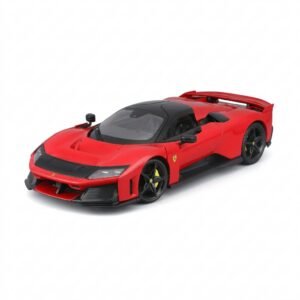 BBurago Metal Car Ferrari F80 Size 1.18 18-16022
1 × 42.900 OMR
-
×
 DAIKIN AC REMOTE
1 × 3.900 OMR
-
×
 Ahuja Csx5081t 8w Rms 5" Speaker
1 × 17.000 OMR
-
×
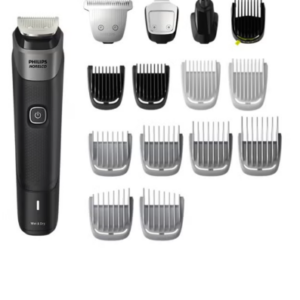 Philips 5000 Series Norelco All In One Trimmer MG5910/49
1 × 24.900 OMR
-
×
 YH 25 PS4 Multifunctional Heat Dissipation Charging Bracket
1 × 12.900 OMR
-
×
 Cleo Plastic Recorder
1 × 0.700 OMR
-
×
 Lavalier Microphone Lj02
1 × 1.800 OMR
-
×
 DOBE PS4 TP4 023B Charging STAND
1 × 6.900 OMR
-
×
 BBurago Metal Car Ferrari 499P Size 1.18
2 × 42.900 OMR
-
×
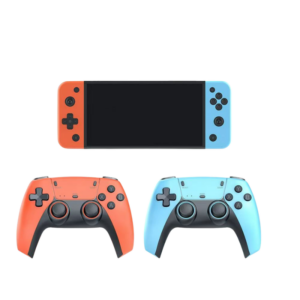 Cleo-GA Handheld Game Console M68 NGB
1 × 8.900 OMR
-
×
 Sony PS 5 DualSense Wireless Controller Limited Edition Alpine Green
1 × 25.900 OMR
-
×
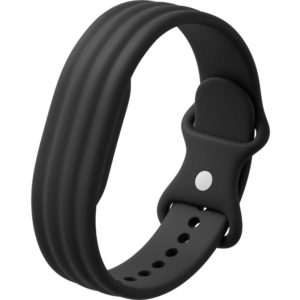 Google Fitbit Air Active Band Obsidian Silicon Strap
1 × 20.900 OMR
-
×
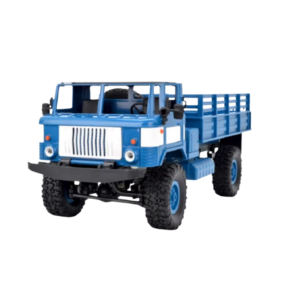 Cleo-TY Remote Control RC Military Truck B-24
1 × 14.900 OMR
-
×
 Apple Ipad Pro 12.9" 4th Gen Smart Keyboard Folio
1 × 94.900 OMR
Subtotal: 371.200 OMR
 New Arrivals
 Offers
 Service & Repair


There are no reviews yet.