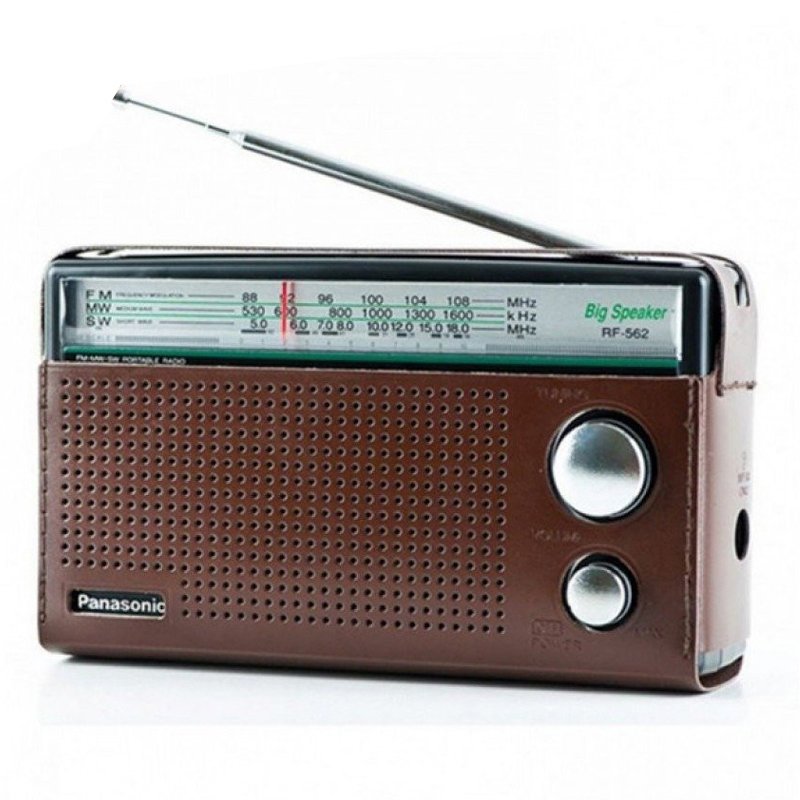
1. **Introduction and Unboxing**: Start by unboxing the Panasonic RF-562DD2 FM/MW-SW Portable Radio and ensure all components are present. Typically, you’ll find the radio unit itself, accompanying user manual, and any included accessories like batteries or an AC adapter.
2. **Powering On and Setup**: Insert the required batteries into the battery compartment of the radio or connect the AC adapter to a power source and the radio. Turn on the device using the power button or switch located on the radio’s panel.
3. **Tuning and Mode Selection**: Select the desired band by using the band selector switch, which allows you to choose between FM, MW (Medium Wave), and SW (Shortwave) bands. Use the tuning dial or buttons to find and select your preferred radio station within the chosen band.
4. **Volume and Sound Adjustment**: Adjust the volume level using the volume knob or buttons until you reach your preferred listening level. Some models may offer additional sound adjustment options such as tone control for adjusting bass and treble levels.
5. **Portability and Usage**: The Panasonic RF-562DD2 is designed for portability, making it suitable for various settings such as home, office, outdoor activities, or travel. Carry the radio with you using the built-in handle or place it on a stable surface for stationary listening. Enjoy listening to your favorite radio stations on FM, MW, or SW bands wherever you go.
These steps should help you set up and enjoy your Panasonic RF-562DD2 FM/MW-SW Portable Radio with ease.

 Cleo-TY Metal Jeep White 79368
1 × 7.800 OMR
Cleo-TY Metal Jeep White 79368
1 × 7.800 OMR  SONY PS4 UFC 4 GAME CD
2 × 16.000 OMR
SONY PS4 UFC 4 GAME CD
2 × 16.000 OMR  CPT 73228 1-24 Chevy Belair Black
1 × 7.900 OMR
CPT 73228 1-24 Chevy Belair Black
1 × 7.900 OMR  Cleo-TY Mercedes Benz G65 Metal Car M923
1 × 5.900 OMR
Cleo-TY Mercedes Benz G65 Metal Car M923
1 × 5.900 OMR  Canon 446 cartridge
1 × 9.200 OMR
Canon 446 cartridge
1 × 9.200 OMR  Geepas GCR13011 Radio Cassette Recorder With USB/SD/MP3/BT
1 × 16.800 OMR
Geepas GCR13011 Radio Cassette Recorder With USB/SD/MP3/BT
1 × 16.800 OMR  New Arrivals
 Offers
 Service & Repair

There are no reviews yet.