1. **Inspect the Extension Socket**: Before use, carefully inspect the MOHA 77 6124WM10 extension socket for any visible damage or defects. Ensure that all components, including the sockets and cable, are intact and in good condition.
2. **Choose a Suitable Location**: Select a suitable location to place the extension socket. Ensure that it is positioned where it can easily reach the power source and where the connected devices will be used. Avoid placing it in areas prone to moisture or where it may be stepped on.
3. **Unroll the Cable**: Carefully unroll the 10-meter long cable of the extension socket, ensuring that it is free from tangles or knots. Lay it out in the desired location, taking care to avoid tripping hazards or obstruction.
4. **Plug into Power Outlet**: Insert the plug of the MOHA 77 6124WM10 extension socket into a standard power outlet. Ensure that the outlet can provide the required voltage for your devices.
5. **Identify the Sockets**: Locate the four sockets on the extension socket. They are typically arranged in a row or cluster along the cable for easy access.
6. **Plug in Devices**: Identify the electronic devices you want to connect and plug them into the available sockets on the extension socket. Ensure that the devices are compatible with the voltage and power rating of the extension socket.
7. **Distribute Load Evenly**: Distribute the load evenly among the sockets to prevent overload. Avoid connecting devices that exceed the maximum load capacity of the socket.
8. **Use with Caution**: Exercise caution while using the extension socket, especially when handling electrical appliances. Avoid overloading the socket or using it with damaged cords or plugs.
9. **Monitor for Overheating**: Periodically check the extension socket and connected devices for signs of overheating. If you notice any unusual heat or burning smells, immediately disconnect the devices and allow the socket to cool down.
10. **Disconnect Safely**: When you’re done using the extension socket, safely disconnect the devices by unplugging them from the sockets. Then, unplug the extension socket from the power outlet.
11. **Roll Up the Cable**: Carefully roll up the cable of the MOHA 77 6124WM10 extension socket, ensuring that it is neatly coiled without any twists or kinks. Properly store the extension socket in a dry and safe place when not in use.
Following these steps will help you safely and effectively use the MOHA 77 6124WM10 4 Way 10m Extension Socket to power multiple electronic devices over a longer distance.
Max Bms 135 Boom Mic Stand
Cle Usb Fridge
Anker Bluetooth Speaker A31A3012 Rave 3s Karaoke Party Dual Mic
GameSir F5 Falcon Mini Mobile Gaming Controller
SONY PS4 Rock of Ages 3 Game CD
SONY PS4 Toukiden2 GAME CD
SONY PS4 UFC 4 GAME CD
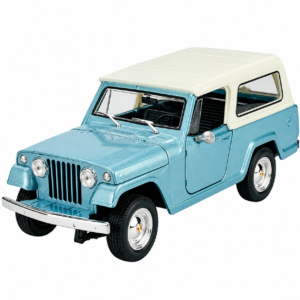
Welly Metal Car Jeep Jeepster Commando Station Wagon Size 1.24 WL-24117H-W
Google Fitbit Edge Fitness & Health Tracking Smart Band Green
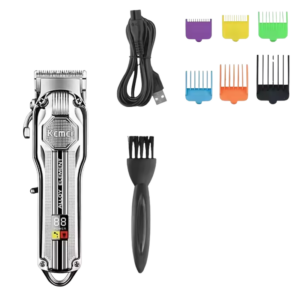
Kemei Professional Electric Hair Clipper KM-517
Welly Metal Car Ford Mustang GT Size 1.24 WL-24123W
Google Fitbit Edge Fitness & Health Tracking Smart Band Black
Belkin F2CU012bt Mixit Cable Usb A to Micro 3mtr
Used Nokia E61i
Philips OneBlade 360 Shaver QP2734/23
Candc DC C9 Cardioid Microphone
New Arrivals
Offers
Service & Repair


There are no reviews yet.