
-
×
 Redmi Earbuds M2537E1 Buds8 Active Black
1 × 7.500 OMR
-
×
 Yesido GS05 MICRO TO LIGHTNING Connector Adapter
1 × 0.900 OMR
-
×
 U Green 45423B Two Way Fast Charging Power Bank 20w
1 × 13.900 OMR
-
×
 Belkin Data Cable CAB001bt Usb A to Usb C Boost Caharge 1mtr
1 × 2.500 OMR
-
×
 Jsyes Smart Watch M59 Pro Max With 7 Straps
1 × 2.500 OMR
-
×
 U Green 75982B Wireless Power Bank Magnetic 10000mah 30w
1 × 24.900 OMR
-
×
 Sandisk Flash Drive i-xpand Dual Luxe 64GB Type-C to Lightning
3 × 11.500 OMR
-
×
 Anker Data Cable A81H7 Usb A to Usb C 10ft/3mtr Power Line 322
1 × 3.500 OMR
-
×
 Cleo-MA Langsdom Bluetooth Neckband
1 × 1.500 OMR
-
×
 Jbl Wired Gaming Headset Quantum One Anc
1 × 34.900 OMR
-
×
 Huawei Earbuds T0027 Free Clip 2S Deepsea Blue
1 × 67.900 OMR
-
×
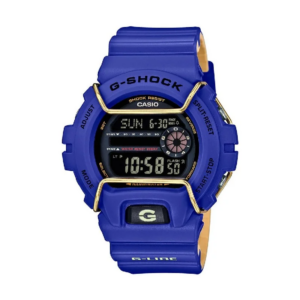 Casio 3450 G Shock St Steel Wr Gls 6900 2Dr Watch
1 × 39.000 OMR
-
×
 Anker soundcore Open Ear Clip A3331HZ1 C40i Black
1 × 24.900 OMR
-
×
 Xundd APPLE IPAD 10.2 Back Clear Case
1 × 3.900 OMR
-
×
 Earldom 2 in 1 Data Cable EC IC04 Usb C to Usb C 60W+ Pd 30W
1 × 2.700 OMR
-
×
 Earldom 2 In 1 Data cable EC IC01 Flash Charging Pd 30W+60W
1 × 3.500 OMR
-
×
 Anker Data Cable A82E2012 Usb C to Usb C Braided Premeum 240w 6ft
1 × 7.500 OMR
-
×
 Belkin F2CU012bt Mixit Cable Usb A to Micro 3mtr
1 × 1.900 OMR
-
×
 Xundd APPLE IPAD 10.9 (10thGen) Back Clear Case
1 × 3.900 OMR
-
×
 Google Fitbit Edge Fitness & Health Tracking Smart Band Black
1 × 86.900 OMR
-
×
 Google Fitbit Edge Fitness & Health Tracking Smart Band Green
1 × 86.900 OMR
-
×
 Honor Earbuds Choice X5 Tm white
1 × 6.900 OMR
-
×
 Yesido GS07 MICRO OTG
1 × 0.900 OMR
-
×
 SONY PS4 Final Fantasy XII GAME CD
1 × 8.800 OMR
-
×
 Earldom Phone Holder ET EH38 Air Vent Magnetic
1 × 1.300 OMR
-
×
 OTVO P4 USB DATA CABLE (For P4 Host & Handle)
1 × 1.900 OMR
-
×
 Cleo-TY Metal Car Bugatti Bolide HT-A2406 Size 1.24
1 × 5.900 OMR
-
×
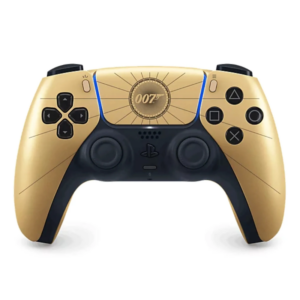 Sony PS 5 Dual Sense Wireless Controller First Light Limited Edition
1 × 36.900 OMR
-
×
 Cle Usb Fridge
1 × 5.900 OMR
Subtotal: 524.100 OMR
 New Arrivals
 Offers
 Service & Repair



There are no reviews yet.