
-
×
 Sandisk Flash Drive i-xpand Dual Luxe 64GB Type-C to Lightning
1 × 11.500 OMR
-
×
 Boya Wireless Microphone By Wm4 Pro
1 × 47.900 OMR
-
×
 DOBE PS4 TP4 016 Mobile Phone CLAMP
1 × 1.900 OMR
-
×
 Braun Flawless Face Mini Hair Remover FS1000
1 × 9.900 OMR
-
×
 DUDAO AUX 3.5 mm Cable Connector
2 × 3.900 OMR
-
×
 MiLi iData Air Flash Drive 64Gb
1 × 10.950 OMR
-
×
 MiLi iData Air Flash Drive 32Gb
1 × 8.450 OMR
-
×
 Yamaha F310 Tbs Guitar
1 × 45.000 OMR
-
×
 USAMS Iphone 11 Pro Metal Camera Lens Glass Film
1 × 1.900 OMR
-
×
 Dlc Table Fan 31062
1 × 14.900 OMR
-
×
 Bella contact lens One day collection with plano
1 × 8.000 OMR
-
×
 Yesido Connector GS18 Lightning TF Card Reader Data Transfer
1 × 1.600 OMR
-
×
 Cate 6 Cable 50 Meter
1 × 10.000 OMR
-
×
 Newstar NA-8000 Dual Function High Power Charger Adapter 6Amps
1 × 4.900 OMR
-
×
 Cleo-TY Metal Car Fiat HT2413A
1 × 5.900 OMR
-
×
 Cleo-HB Mesh Nebulizer XL1663
1 × 4.800 OMR
-
×
 Yesido Phone Holder C151 Magnetic
1 × 0.850 OMR
-
×
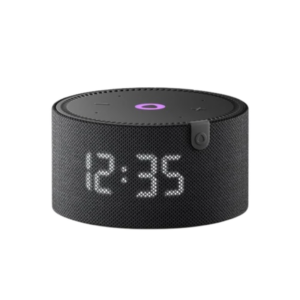 Yasmina Mini Smart Portable Bluetooth Speaker Black
1 × 24.900 OMR
Subtotal: 221.150 OMR
 New Arrivals
 Offers
 Service & Repair


There are no reviews yet.