
-
×
 Boya By Wm4 Pro K3 2.4ghz Wireless Microphone System
1 × 49.900 OMR
Boya By Wm4 Pro K3 2.4ghz Wireless Microphone System
1 × 49.900 OMR
Subtotal: 49.900 OMR
SKU: MEGA DGN MIC STAND
In stock
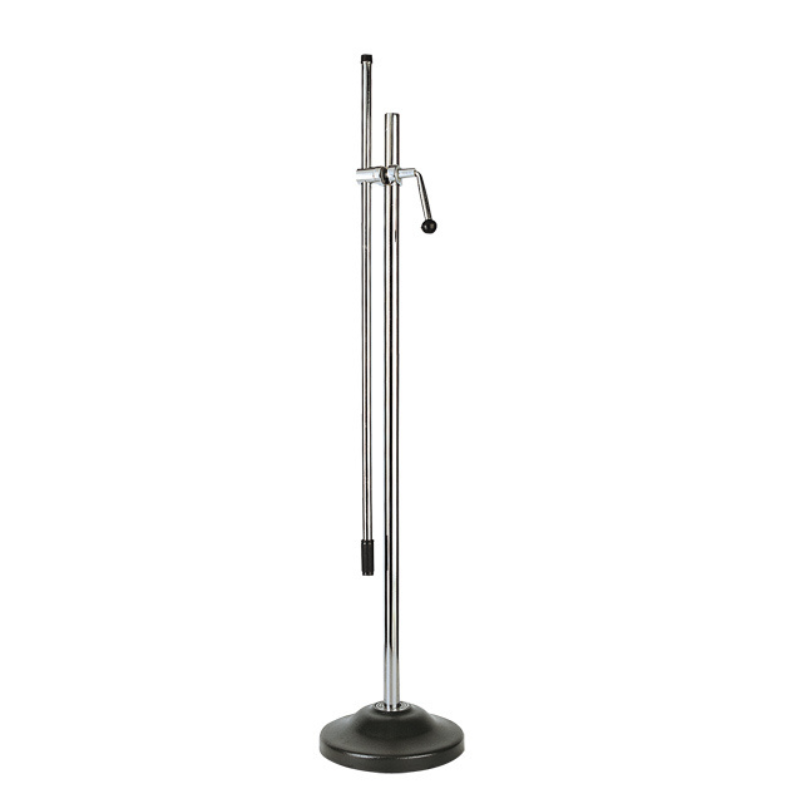
The MEGA DGN MIC Stand is a versatile and durable microphone stand designed for professional audio setups. Featuring a sturdy base and adjustable height, it provides stability and customizable positioning for optimal mic placement. Its flexible arm allows for easy adjustment, ensuring precise mic alignment and enhanced sound quality. Ideal for studio recording, live performances, or broadcasting, the MEGA DGN MIC Stand combines functionality with reliability.
15.000 OMR
In stock
1. **Assembly**: Unbox the stand and attach the base to the central column. Securely tighten any connections to ensure stability.
2. **Adjust Height**: Extend or retract the central column to adjust the height of the stand. Lock the desired height in place using the adjustment knob or lever.
3. **Position Mic**: Attach your microphone to the mic clip or holder on the stand. Ensure the clip is securely fastened and aligned correctly.
4. **Adjust Angle**: Use the flexible arm to position the microphone at the desired angle and distance from your sound source. Make sure the mic is positioned for optimal audio capture.
5. **Stabilize and Use**: Check that the stand is stable and not wobbling. Once in place, proceed with your recording or performance, making any fine adjustments to the mic position as needed.
 New Arrivals
 Offers
 Service & Repair


There are no reviews yet.