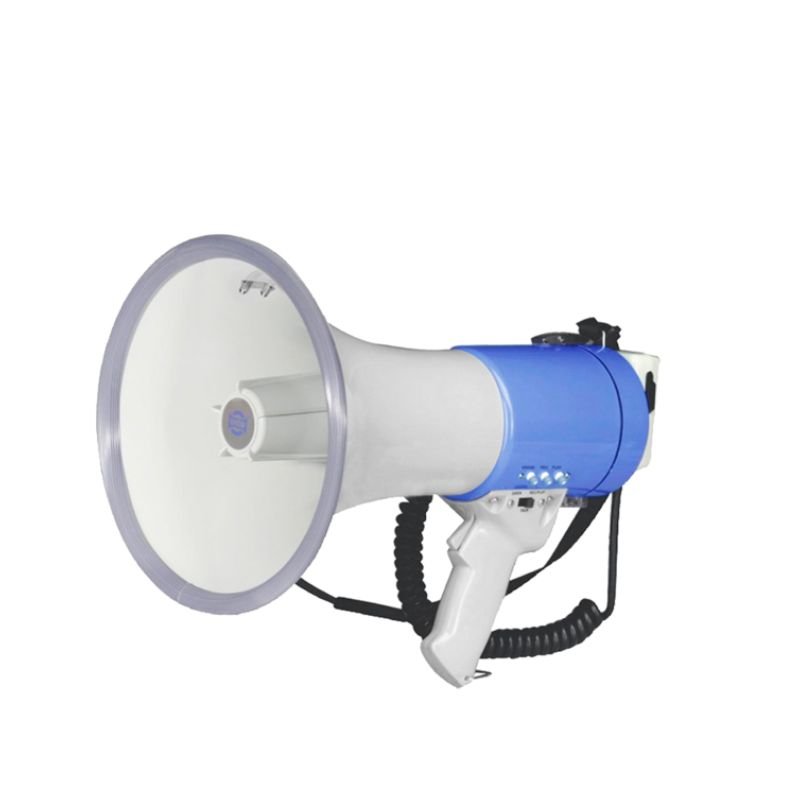
1. **Battery Installation**: Open the battery compartment of the MAX ER66 Megaphone and insert the required batteries. Ensure that you’re using fresh batteries with the correct polarity to power the device.
2. **Power On**: Turn on the MAX ER66 Megaphone by flipping the power switch to the “on” position. You may hear a beep or see a light indicating that the megaphone is powered up and ready for use.
3. **Adjust Volume**: Use the volume control knob to adjust the volume level according to your needs. Turn the knob clockwise to increase the volume and counterclockwise to decrease it. Start with a low volume and gradually increase it to avoid sudden loud noises.
4. **Using the Microphone**: Speak into the built-in microphone located on the megaphone’s body. Hold the megaphone close to your mouth for clear and effective communication. Ensure that you speak clearly and loudly enough for your intended audience to hear.
5. **Announcing Messages**: Use the MAX ER66 Megaphone to announce messages, instructions, or alerts to your audience. Speak confidently and clearly, directing your voice toward the microphone for optimal sound projection.
6. **Adjusting Range**: To extend the range of the megaphone’s sound projection, hold it at chest height with the microphone facing towards your audience. Avoid covering the microphone or obstructing its path for the best results.
7. **Turning Off**: When you’re finished using the MAX ER66 Megaphone, turn it off by flipping the power switch to the “off” position. This helps conserve battery life and ensures that the megaphone is ready for future use.
8. **Storage**: Store the MAX ER66 Megaphone in a cool, dry place when not in use. Avoid exposing it to extreme temperatures or moisture, which could damage the device. Additionally, remove the batteries if the megaphone will not be used for an extended period.
By following these steps, you can effectively use the MAX ER66 Megaphone to deliver messages and communicate with clarity and authority in various situations.

 DELONGHI MC INTARUSKAESTTR DL ECO311.RÂ
1 × 61.700 OMR
DELONGHI MC INTARUSKAESTTR DL ECO311.RÂ
1 × 61.700 OMR  Biba Flute Deluxe
1 × 6.500 OMR
Biba Flute Deluxe
1 × 6.500 OMR 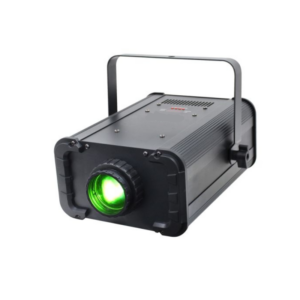 Aiweidy A836 Spot Light
1 × 50.000 OMR
Aiweidy A836 Spot Light
1 × 50.000 OMR  Shure Pg42 Usb Usa Vox Record Microphone
1 × 99.000 OMR
Shure Pg42 Usb Usa Vox Record Microphone
1 × 99.000 OMR 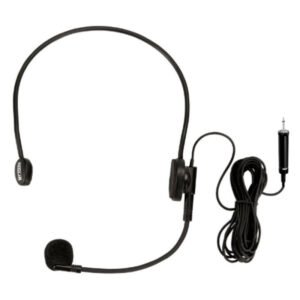 Ahuja Hbm60cc Condenser Headband Microphone
1 × 13.000 OMR
Ahuja Hbm60cc Condenser Headband Microphone
1 × 13.000 OMR  Ahuja Utp30 Wired Tie Clip Mic
1 × 10.000 OMR
Ahuja Utp30 Wired Tie Clip Mic
1 × 10.000 OMR  Boya Wireless Microphone By Wm4 Pro
1 × 47.900 OMR
Boya Wireless Microphone By Wm4 Pro
1 × 47.900 OMR  Lavalier Microphone Lj01b
1 × 1.500 OMR
Lavalier Microphone Lj01b
1 × 1.500 OMR  Boya By Wm4 Pro K3 2.4ghz Wireless Microphone System
1 × 49.900 OMR
Boya By Wm4 Pro K3 2.4ghz Wireless Microphone System
1 × 49.900 OMR  New Arrivals
 Offers
 Service & Repair



There are no reviews yet.