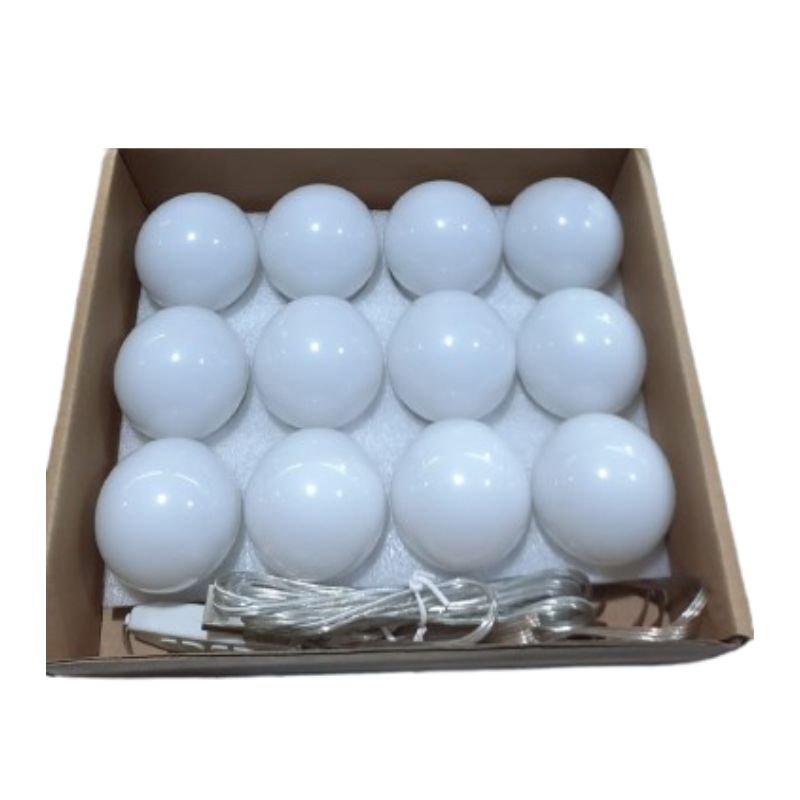
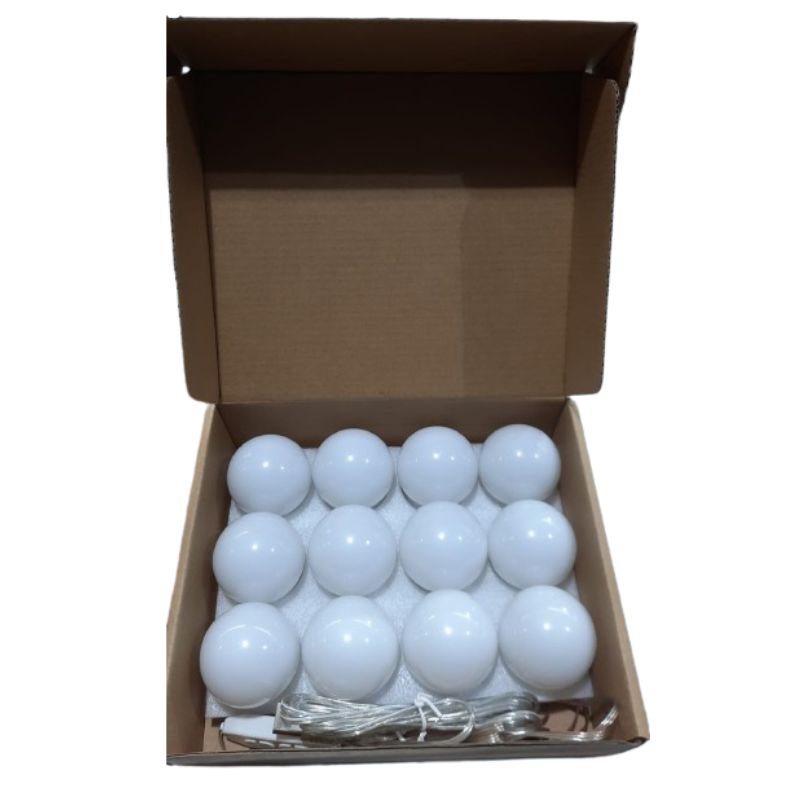
1. **Unboxing**: Carefully unpack the Makeup Vanity 12 Mirror Lights USB Wall Lamps from its packaging, ensuring you have all the components and accessories included.
2. **Prepare the Wall**: Choose a suitable location on the wall near your makeup vanity or dressing area to mount the wall lamps. Ensure the wall surface is clean and dry before proceeding.
3. **Mounting**: Use the provided mounting hardware (screws and anchors) to securely attach the wall lamps to the wall. Follow the manufacturer’s instructions for proper installation, taking care to align the lamps evenly and securely.
4. **Connect the Lights**: Plug the USB cable from the wall lamps into a USB power source. This could be a wall adapter, power bank, laptop, or any other device with a USB port. Ensure the power source is turned on.
5. **Test the Lights**: Turn on the wall lamps and test the brightness and intensity of the lights. Adjust the settings or angles of the lights as needed to achieve the desired lighting for makeup application.
6. **Adjustable Settings**: If the wall lamps have adjustable settings such as brightness levels or color temperature, experiment with different settings to find the most flattering lighting for your makeup routine.
7. **Illuminate Your Vanity**: Position the wall lamps to illuminate your makeup vanity or dressing area effectively. Ensure that the light is evenly distributed across your face for optimal visibility and precision during makeup application.
8. **Use During Makeup Application**: Use the Makeup Vanity 12 Mirror Lights USB Wall Lamps as your primary source of lighting during makeup application. The bright, natural-looking light will help you achieve flawless results and ensure color accuracy.
9. **Turn Off After Use**: When you’re finished using the wall lamps, remember to turn them off to conserve energy and prolong their lifespan. Simply unplug the USB cable from the power source or use any built-in power controls, if available.
10. **Maintenance**: Regularly clean the wall lamps and mirrors to remove dust, makeup residue, or other debris. Use a soft, dry cloth to wipe down the surfaces gently.
11. **Enjoy Your Makeup Vanity**: With the Makeup Vanity 12 Mirror Lights USB Wall Lamps installed, enjoy the convenience of professional-quality lighting for your makeup routine. Achieve flawless looks every time with ease and confidence.
Following these steps will help you effectively set up and use the Makeup Vanity 12 Mirror Lights USB Wall Lamps, transforming your space into a stylish and functional makeup area.
YH 31 PS4 2 in 1 Charging Heat Sink
Sandisk Flash Drive i-xpand Dual Luxe 64GB Type-C to Lightning
Sony PS4 Spider Man Game CD
USAMS Iphone 11 Pro Metal Camera Lens Glass Film
L-1 Professional Streaming Player Stand
OTVO P4 USB DATA CABLE (For P4 Host & Handle)
SONY PS4 CD DOOM
Yamaha Bws20 120 Bracket
Bbt Hair Clipper Rfcd 9008
Digitplus Data Cable DP-C105T Usb C to Usb C 60w 2mtr
Proline Gl 206 Bracket
Mega Hm60T 60W Driver Unit
ONTEN USB to HDMI Adapter
iPhone SE 2020 - 128 GB - White
Google Fitbit Edge Fitness & Health Tracking Smart Band Green
Behringer Di 100 Di Box
Rinnai RI522SC 2 Burner Gas Stove (indonesia)
Cleo-MA Smart Bracelet X6 NGB
Welly Metal Car Jeep Jeepster Commando Station Wagon Size 1.24 WL-24117H-W
Xiaomi M2459B1 Smart Band 10 Mystic Rose
OMNIKEY 3121 CARD READER
New Arrivals
Offers
Service & Repair


There are no reviews yet.