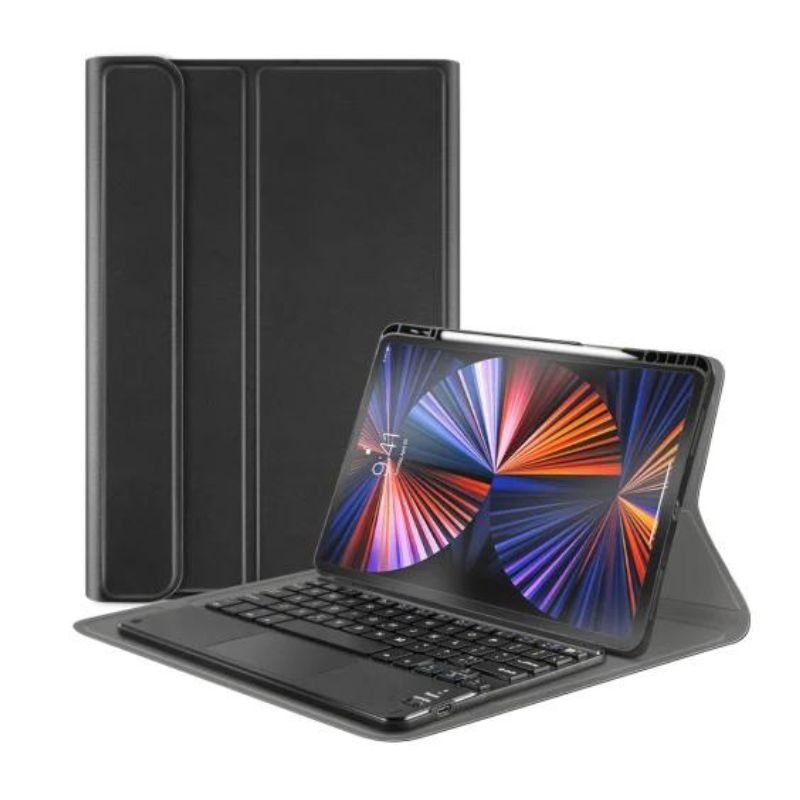
1. **Installation**: Begin by placing your iPad into the keyboard case. Ensure that it fits snugly and securely within the case, with all ports and buttons accessible. The case should provide full coverage and protection for your iPad while allowing easy access to its features.
2. **Pairing**: Turn on your iPad and navigate to the Bluetooth settings. Activate the Bluetooth feature if it’s not already enabled. Next, turn on the keyboard case by pressing the power button, typically located along the edge of the case. Once the keyboard case is powered on, it should appear in the list of available Bluetooth devices on your iPad. Select it to pair the two devices.
3. **Adjustments**: Depending on your preferences and comfort, you may want to adjust the viewing angle of your iPad within the keyboard case. Many keyboard cases offer multiple viewing angles, allowing you to find the most ergonomic position for typing and viewing content. Experiment with different angles until you find the one that works best for you.
4. **Typing**: With the keyboard case paired and adjusted, you can begin typing on the physical keyboard. The keys should provide tactile feedback and responsive typing, enhancing your productivity and typing speed compared to using the iPad’s on-screen keyboard. Take advantage of keyboard shortcuts and special functions, if available, to streamline your workflow.
5. **Touchpad Navigation**: The MAGIC Touchpad with Keyboard Case features a built-in touchpad, allowing you to control the cursor and navigate your iPad with ease. Simply use your finger to move the cursor on the touchpad, tap to click, and use multi-touch gestures for tasks like scrolling, zooming, and switching between apps. The touchpad provides a more precise and efficient way to interact with your iPad, enhancing your overall user experience.
SONY PS4 TOM CLANCY'S RAINBOW SIX SIEGE GAME CD
SONY PS4 FINAL FANTASY VII GAME CD
Boya Wireless Microphone By Wm4 Pro
Cleo Plastic Recorder
OMNIKEY 3121 CARD READER
Tolaye Ks06 Keyboard Stand
L-1 Professional Streaming Player Stand
Welly Metal Car Porsche 911 GT3 RS Size 1.24 WL-24122W
SONY PS4 CD DOOM
Cle Usb Fridge
New Arrivals
Offers
Service & Repair


There are no reviews yet.