
-
×
 Bm 13k Bee Melodica
1 × 5.900 OMR
-
×
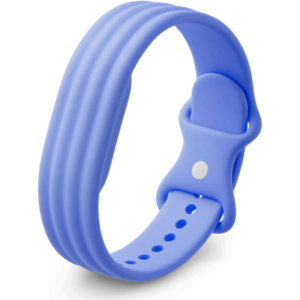 Google Fitbit Air Active Band Lavender Silicon Strap
1 × 20.900 OMR
-
×
 Cle Usb Fridge
2 × 5.900 OMR
-
×
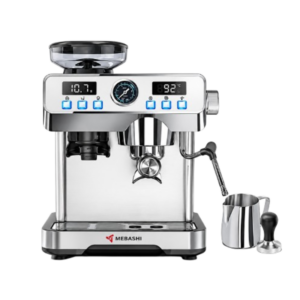 Mebashi Espresso Coffee Machine With Grinder ME-CCM2069
1 × 65.900 OMR
-
×
 Sony PS4 Shin Megami Tensei III Game CD
1 × 19.800 OMR
-
×
 YH 25 PS4 Multifunctional Heat Dissipation Charging Bracket
1 × 12.900 OMR
-
×
 DOBE PS4 TP4 023B Charging STAND
2 × 6.900 OMR
-
×
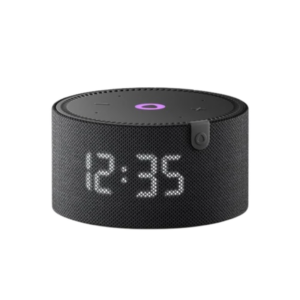 Yasmina Mini Smart Portable Bluetooth Speaker Black
1 × 24.900 OMR
-
×
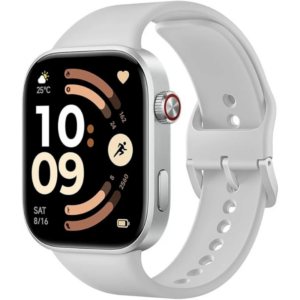 Redmi M2523 Smart Watch 6 Silver Gray
1 × 34.900 OMR
-
×
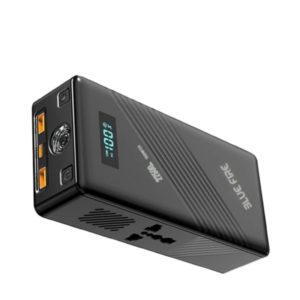 Blue Fire 22500MAh 150W Portable Power Bank
1 × 24.900 OMR
-
×
 OTVO P4 USB DATA CABLE (For P4 Host & Handle)
1 × 1.900 OMR
-
×
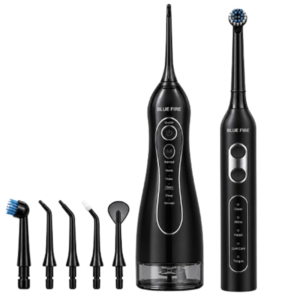 Blue Fire Hydroclean Oral Irrigator And Toothbrush BF-10
1 × 12.900 OMR
-
×
 OMNIKEY 3121 CARD READER
1 × 7.900 OMR
-
×
 Ahuja Utp30 Wired Tie Clip Mic
1 × 10.000 OMR
-
×
 YH 31 PS4 2 in 1 Charging Heat Sink
1 × 11.900 OMR
-
×
 Apple Ipad Pro 12.9" 4th Gen Smart Keyboard Folio
1 × 94.900 OMR
Subtotal: 375.200 OMR
 New Arrivals
 Offers
 Service & Repair


There are no reviews yet.