
 New Arrivals
 Offers
 Service & Repair

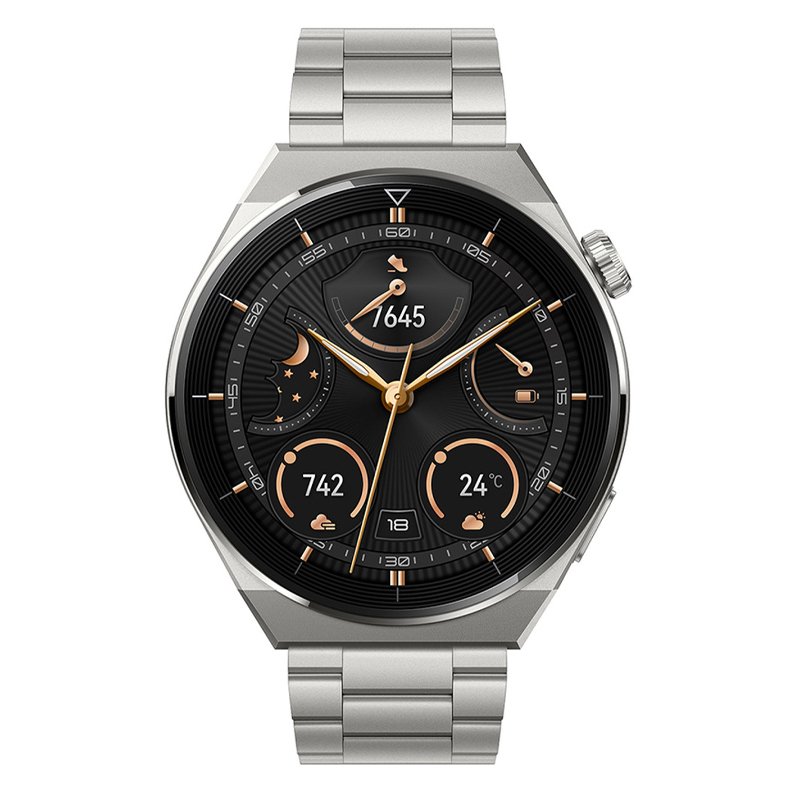
Huawei Watch GT 3 Pro 46mm – Grey Titanium Strap
SKU: Huawei GT 3 Pro 46mm Grey Titanium
In stock
- HUAWEI WATCH 3 Pro is equipped with a dual-chipset architecture to not only enhance performance power but also achieve more balanced processing. Enjoy 5 days’ use in a typical scenario of smart mode, and an incredible 21 days’ use in ultra-long battery life mode
- Control HUAWEI WATCH 3 Pro using the high-response touch-sensitive screen, side button, and fully rotatable crown, offset for easy access. Rotate the crown for easy scrolling through on-display features and volume settings
1. **Power On**: Press and hold the power button on the side of the watch to turn it on. You’ll typically find the power button on the right-hand side of the watch case. Wait for the Huawei logo to appear on the screen as it boots up.
2. **Initial Setup**: Follow the on-screen instructions to set up your watch. This usually involves selecting your preferred language, connecting to your smartphone via Bluetooth, and configuring basic settings like date and time.
3. **Customize Watch Face**: Once the setup is complete, you can customize the watch face to your liking. Swipe left or right on the watch face to browse through available options, and tap on the one you prefer to set it as your default watch face.
4. **Explore Features**: Familiarize yourself with the features of the Huawei Watch GT 3 Pro. Swipe down from the top of the screen to access quick settings such as brightness and Do Not Disturb mode. Swipe up from the bottom to view notifications.
5. **Health and Fitness Tracking**: Utilize the watch to track your health and fitness goals. Access the various workout modes such as running, cycling, or swimming, and start a workout session by tapping on the corresponding activity icon. The watch will monitor your activity metrics including heart rate, distance, and calories burned.
6. **GPS Navigation**: Make use of the built-in GPS to accurately track your outdoor activities. Whether you’re running, hiking, or cycling, the Huawei Watch GT 3 Pro can help you navigate your route and track your progress.
7. **Battery Management**: Keep an eye on your watch’s battery life by swiping left from the watch face to access the battery widget. Here, you can check the remaining battery percentage and adjust settings to conserve power if necessary.
8. **Interact with Notifications**: When you receive notifications on your watch, you can swipe left to dismiss them, swipe right to open them, or tap to interact further depending on the app and notification type.
9. **Explore Additional Settings**: Dive into the settings menu to customize various options such as display settings, sound settings, and app permissions. You can also adjust settings related to health tracking and connectivity.
10. **Power Off**: When you’re not using the Huawei Watch GT 3 Pro, you can power it off to conserve battery life. Press and hold the power button, then follow the on-screen prompts to power off the device.
There are no reviews yet.