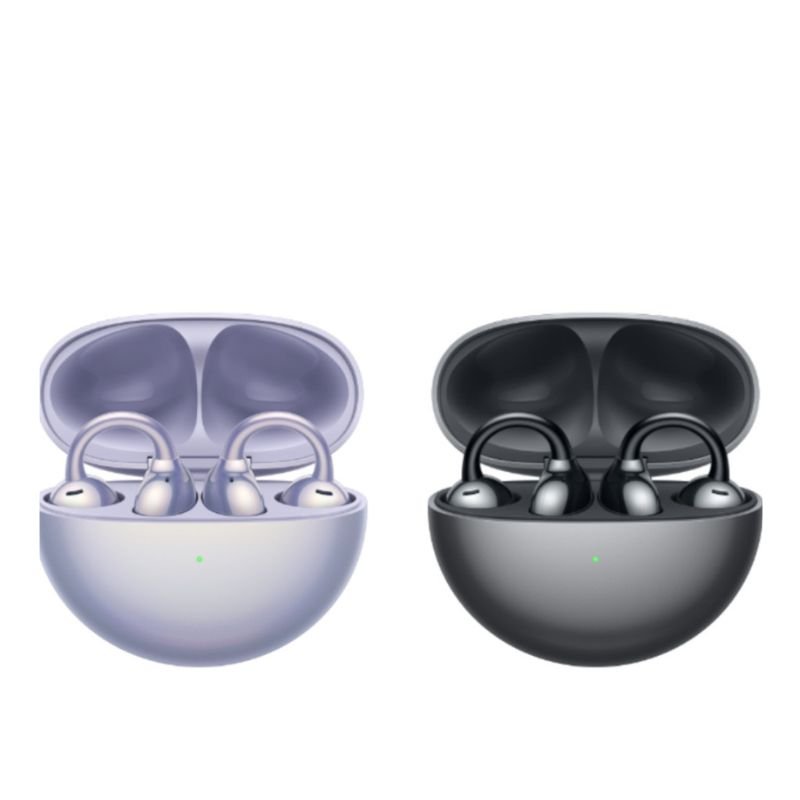
1. **Unboxing**: Open the packaging of the HUAWEI Free Clip Wireless Earbuds and take out all the contents. This typically includes the earbuds themselves, a charging case, a charging cable (usually USB-C), and any instruction manuals or guides.
2. **Charging the Case**: Connect the charging cable to the charging case and plug it into a power source such as a USB port on your computer or a USB wall adapter. Let it charge until the battery indicator on the case shows it’s fully charged. This usually takes around 1-2 hours for the first charge.
3. **Charging the Earbuds**: Once the charging case is fully charged, place the earbuds into their respective slots in the case. Ensure they are properly seated and the charging pins align. Close the case and let the earbuds charge. They should start charging automatically when placed in the case.
4. **Pairing with Smartphone**: Open the Bluetooth settings on your smartphone or device. On the charging case of the HUAWEI Free Clip Wireless Earbuds, there is a pairing button. Press and hold this button until the LED indicator on the case starts flashing. This indicates that the earbuds are in pairing mode.
5. **Pairing Process**: In the Bluetooth settings of your smartphone, search for available devices. You should see “HUAWEI Free Clip” or a similar name listed. Select it to pair with the earbuds. You may need to confirm the pairing on your smartphone.
6. **Fit and Comfort**: Once paired, remove the earbuds from the charging case and insert them into your ears. Adjust the ear tips and ensure a secure and comfortable fit. The earbuds come with different sizes of ear tips to accommodate different ear shapes.
7. **Navigation and Controls**: Familiarize yourself with the touch controls on the HUAWEI Free Clip Wireless Earbuds. You can typically control playback, adjust volume, answer calls, and activate voice assistants using touch gestures on the earbuds themselves.
8. **Usage and Features**: Start enjoying your music, podcasts, or other audio content wirelessly with the HUAWEI Free Clip Wireless Earbuds. They feature high-quality sound, stable Bluetooth connectivity, and long battery life for extended listening sessions.
9. **Charging On-The-Go**: When not in use, place the earbuds back into the charging case to keep them charged. The case itself also serves as a portable charger, allowing you to recharge the earbuds on-the-go.
10. **Maintenance**: Keep the earbuds and charging case clean and free from dust or debris. Avoid exposing them to moisture or extreme temperatures, as this could damage the electronics. Regularly clean the ear tips with a soft, dry cloth or a damp cloth if necessary.
Following these steps will help you effectively set up, use, and maintain your HUAWEI Free Clip Wireless Earbuds for a seamless and enjoyable listening experience.

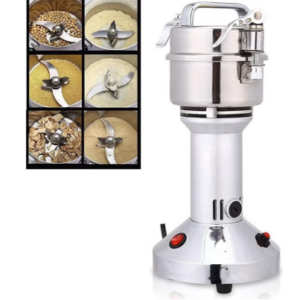 Denx Multifunctional Grinder DX3222 300G
2 × 16.900 OMR
Denx Multifunctional Grinder DX3222 300G
2 × 16.900 OMR  3713c Music Guitar
1 × 5.800 OMR
3713c Music Guitar
1 × 5.800 OMR  WAHL 3615 Cordless Mobile shaver
1 × 9.800 OMR
WAHL 3615 Cordless Mobile shaver
1 × 9.800 OMR 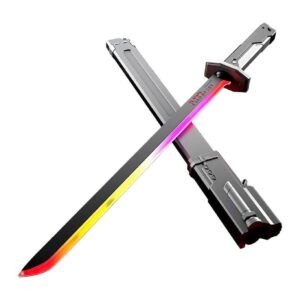 Cleo-TY Sparkblade LED Samurai Katana Toy 8899Y1
1 × 9.900 OMR
Cleo-TY Sparkblade LED Samurai Katana Toy 8899Y1
1 × 9.900 OMR 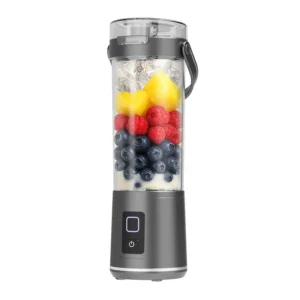 Denx Wireless Portable Juicer DX3227
1 × 4.900 OMR
Denx Wireless Portable Juicer DX3227
1 × 4.900 OMR  RING SUPPLEMENTARY LAMP 36W + STAND
1 × 13.900 OMR
RING SUPPLEMENTARY LAMP 36W + STAND
1 × 13.900 OMR  New Arrivals
 Offers
 Service & Repair

There are no reviews yet.