
-
×
 DOBE PS4 TP4 023B Charging STAND
1 × 6.900 OMR
-
×
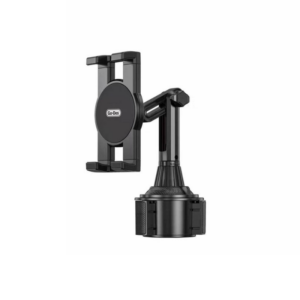 Go-des GD HD313 Car Cup Tablet Holder
1 × 4.500 OMR
-
×
 BBurago Metal Car Ferrari 296 GTB Size 1.18 18-16018
1 × 42.900 OMR
-
×
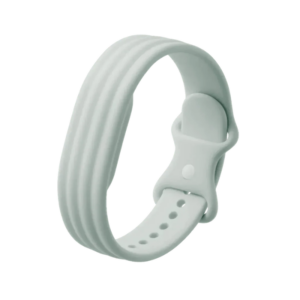 Google Fitbit Air Active Band Fog Silicon Strap
1 × 20.900 OMR
-
×
 Philips Dry Iron HD1172/27
1 × 5.800 OMR
-
×
 Max Bms 135 Boom Mic Stand
1 × 9.500 OMR
-
×
 STUDENTS EXPERIMENTAL PROJECT KIT SMALL
1 × 2.200 OMR
-
×
 SONY PS4 Toukiden2 GAME CD
1 × 7.700 OMR
-
×
 Boya Larger Diaphragm Condenser Microphone By M1000
1 × 38.800 OMR
-
×
 Cleo-TY Kids Drawing Painting Table HT6886
1 × 2.900 OMR
-
×
 Philips OneBlade 360 Shaver QP2734/23
1 × 22.900 OMR
-
×
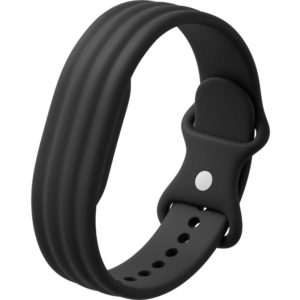 Google Fitbit Air Active Band Obsidian Silicon Strap
1 × 20.900 OMR
-
×
 Maisto Metal Car Porsche 911 GT3 Size 1.18 36458
1 × 42.885 OMR
-
×
 Google Fitbit Edge Fitness & Health Tracking Smart Band Black
1 × 86.900 OMR
-
×
 SONY PS4 UFC 4 GAME CD
1 × 16.000 OMR
-
×
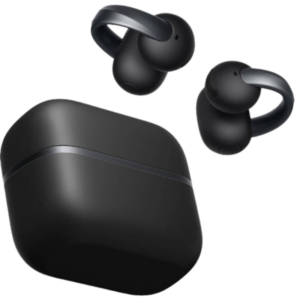 Anker D1105 Earbuds Aero Clip-2 Soundcore Black
1 × 59.900 OMR
-
×
 ROCK W24 Double side Quick CHARGER
1 × 5.200 OMR
Subtotal: 396.785 OMR
 New Arrivals
 Offers
 Service & Repair


There are no reviews yet.