1. **Unboxing and Inspection**: Start by unboxing the HQT QM446 Two-Way Radio and inspecting all components for any damage or missing parts. Ensure that the radio, antenna, battery pack, belt clip, and user manual are present and in good condition.
2. **Battery Installation**: Insert the battery pack into the battery compartment of the radio, ensuring it is securely attached and making proper contact with the terminals. Follow the manufacturer’s instructions for installing the battery correctly.
3. **Antenna Attachment**: Screw the antenna onto the designated port on the top of the radio until it is securely attached. Ensure that the antenna is straight and aligned properly to optimize signal transmission and reception.
4. **Power On and Channel Selection**: Press the power button to turn on the radio. Use the channel selector knob or buttons to choose the desired communication channel. Ensure that all radios within your group are set to the same channel to communicate effectively.
5. **Communication and Testing**: Hold the radio upright and speak clearly into the microphone while pressing the Push-to-Talk (PTT) button to transmit your message. Release the PTT button to listen for incoming transmissions. Test the radio’s range and audio quality by communicating with other users within the intended distance. Adjust volume and other settings as needed for optimal performance.

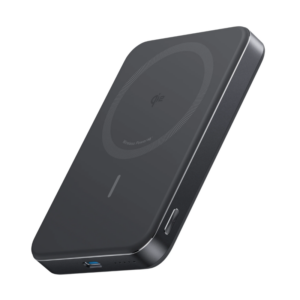 Anker A1664 MagGo Ultra-Slim 10000mAh Qi2 Certified 15W Power Bank
1 × 19.900 OMR
Anker A1664 MagGo Ultra-Slim 10000mAh Qi2 Certified 15W Power Bank
1 × 19.900 OMR  Apple Ipad Pro 12.9" 4th Gen Smart Keyboard Folio
1 × 94.900 OMR
Apple Ipad Pro 12.9" 4th Gen Smart Keyboard Folio
1 × 94.900 OMR  Siltron Lf Xlr 21f mail pin
1 × 1.000 OMR
Siltron Lf Xlr 21f mail pin
1 × 1.000 OMR  New Arrivals
 Offers
 Service & Repair


There are no reviews yet.