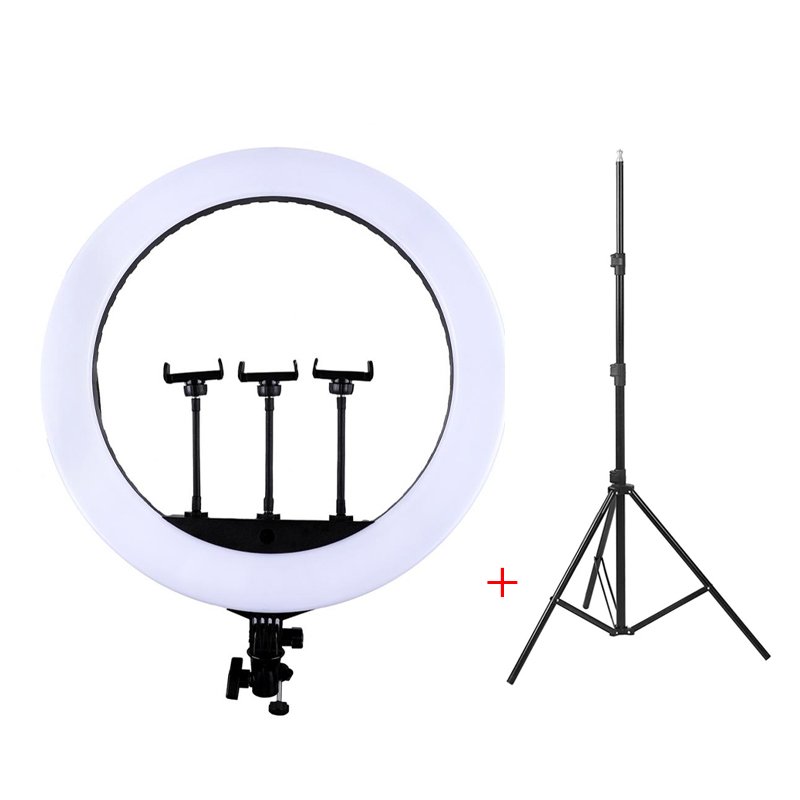
1. **Assemble the Stand**: Begin by assembling the stand according to the provided instructions. Extend the legs and adjust the height to your preferred level. Ensure the stand is stable and positioned on a flat surface.
2. **Attach the Ring Light**: Fix the HQ 21N LED Soft Ring Light onto the stand’s mounting bracket. Most ring lights come with a bracket or attachment mechanism for easy installation. Secure the ring light to the bracket firmly.
3. **Adjust the Angle**: Utilize the adjustable arm or head of the stand to position the ring light at the desired angle. Tilt and rotate the light to ensure it illuminates your subject evenly and effectively.
4. **Connect Power**: Plug the power cord of the ring light into a power source. Depending on the model, it may be powered by batteries or a USB cable. Ensure the cord is securely connected and there are no exposed wires.
5. **Turn On the Light**: Activate the ring light using the power switch or button. Adjust the brightness and color temperature settings to suit your needs. You’re now ready to enjoy enhanced lighting for your photography, videography, makeup application, or any other task that requires good lighting.
Following these steps will help you set up and utilize the HQ 21N LED Soft Ring Light with Stand effectively for your various lighting needs.
HANDS FREE KEY CHAIN
Sony PS5 The Pathless Game CD
SONY PS4 MX VS ATV ALL OUT GAME CD
ANKER NEBULA MARS 2PRO D2323211 PORTABLE PROJECTOR
Max Bms 135 Boom Mic Stand
WRIST WATCH CK 102S BLOOD PRESSURE MONITOR
LG SK 1D 100W RMS SOUND Bar
Boya Wireless Microphone By Wm4 Pro
Candc DC C9 Cardioid Microphone
New Arrivals
Offers
Service & Repair

There are no reviews yet.