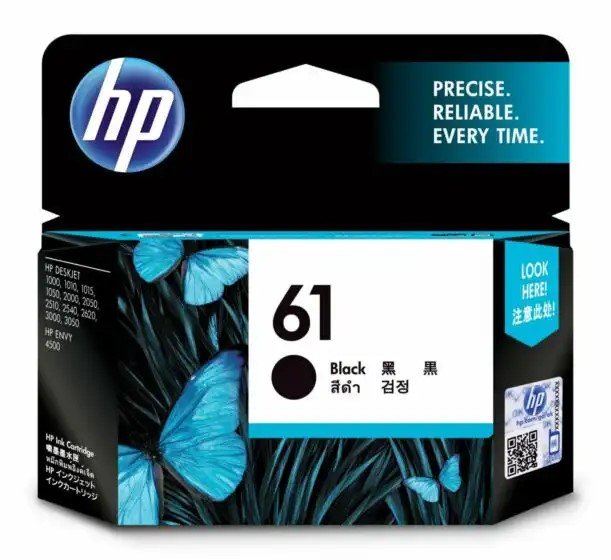
1. Unpackaging: Begin by carefully removing the HP 61 Black Cartridge from its packaging, ensuring to handle it delicately to avoid damaging the cartridge or its components.
2. Printer Preparation: Turn on your HP printer and open the cartridge access door. Wait for the carriage to move to the cartridge replacement position, allowing you easy access to the cartridge compartment.
3. Cartridge Installation: Insert the HP 61 Black Cartridge into the appropriate slot in the cartridge compartment, ensuring it is securely seated. Press down gently until you hear a click, indicating that the cartridge is properly installed.
4. Alignment: Close the cartridge access door and follow the on-screen prompts on your printer’s display to initiate the cartridge alignment process. This ensures optimal print quality by aligning the printhead for precise ink delivery.
5. Test Print: Once the alignment process is complete, print a test page to verify that the HP 61 Black Cartridge is installed correctly and functioning properly. If the test page prints successfully, you’re ready to start printing high-quality black text and graphics with your HP printer.
Cpt Guitar 3713c
Candc DC C9 Cardioid Microphone
SONY PS4 STAR WARS SQUADRONS GAME CD
Sayona Robot Vacuum Cleaner SBV2458S
Meroon Is 75b Mic Stand Round Base
Boya Larger Diaphragm Condenser Microphone By M1000
Ahuja Trinity 411 Microphone
Sony PS 5 DualSense Wireless Controller Limited Edition Alpine Green
Mini Auto Metal Car BMW M8 GTE DT-8034A 3D Frame
Sony Ps 4 Mdievil CD
Used Nokia E61i
DUDAO AUX 3.5 mm Cable Connector
New Arrivals
Offers
Service & Repair

There are no reviews yet.