1. **Unboxing**: Open the package containing the HOCO M80 3.5mm Headphones. Inside, you’ll find the headphones themselves and any additional accessories that may be included.
2. **Checking Compatibility**: Ensure that your device has a standard 3.5mm audio jack. The HOCO M80 3.5mm Headphones are designed to be compatible with most devices, including smartphones, tablets, laptops, and more.
3. **Connecting the Headphones**: Locate the 3.5mm audio jack on your device. Plug the 3.5mm connector of the headphones into the audio jack on your device until it clicks into place securely.
4. **Adjusting Fit**: Adjust the headphones to ensure a comfortable and secure fit. Position the ear cups over your ears and adjust the headband for a snug fit. Some HOCO M80 models may feature adjustable headbands or swiveling ear cups for added comfort.
5. **Controls**: Depending on the model, the HOCO M80 3.5mm Headphones may feature inline controls for adjusting volume, pausing or playing music, skipping tracks, and answering or ending calls. Familiarize yourself with these controls for convenient use.
6. **Playing Music**: Open your preferred music or audio app on your device. Use the inline controls on the headphones or the controls on your device to start playing music. Adjust the volume to your desired level using the controls on the headphones or your device.
7. **Taking Calls**: If your HOCO M80 headphones feature a built-in microphone, you can use them for hands-free calling. When receiving a call, use the inline controls on the headphones to answer or end the call.
8. **Disconnecting**: To disconnect the headphones from your device, simply unplug the 3.5mm connector from the audio jack on your device.
9. **Storage**: When not in use, store the HOCO M80 3.5mm Headphones in a safe and dry place to protect them from damage.
10. **Maintenance**: Keep the headphones clean by wiping them with a soft, dry cloth as needed. Avoid exposing them to liquids or extreme temperatures, as this may damage the components.
Following these steps will help you effectively set up and use the HOCO M80 3.5mm Headphones for an enjoyable listening experience.
Tolaye Ks06 Keyboard Stand
Cleo Plastic Recorder
Boya By Wm4 Pro K3 2.4ghz Wireless Microphone System
Boya Wireless Microphone By Wm4 Pro
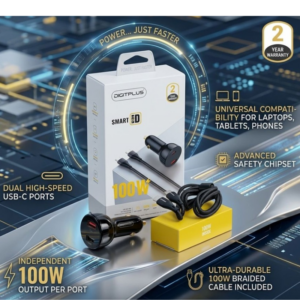
DigitPlus Car Charger 100w CC-DP-C101
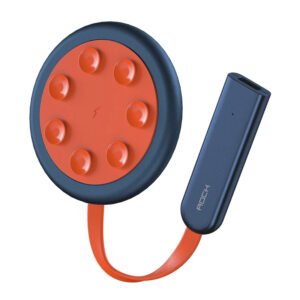
ROCK W24 Double side Quick CHARGER
BBurago Metal Car Ferrari 499P Size 1.18
Ahuja ATS 200 Mic Stand
Candc DC C9 Cardioid Microphone
Boya Larger Diaphragm Condenser Microphone By M1000
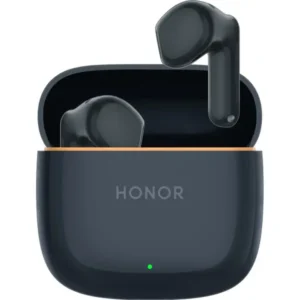
Honor ERC-T00 Wireless Erabuds X10 Play Black
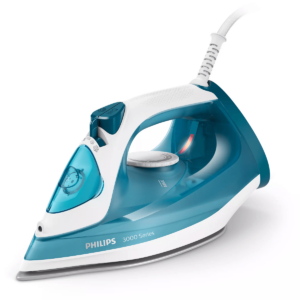
Philips Steam Iron Series 3000 DST3011/26 2400W
Xiaomi Mi Box TV Remote
Rean Rp2C Pin
Boya Lavalier Microphone By M40d
Moving Sand Art Picture Round Frame Sandscapes With LED Light
Apple Ipad Pro 12.9" 4th Gen Smart Keyboard Folio
Yamaha Mg10x Cv Mixer
L-1 Professional Streaming Player Stand
New Arrivals
Offers
Service & Repair

There are no reviews yet.