
-
×
 DOBE PS4 TP4 016 Mobile Phone CLAMP
1 × 1.900 OMR
-
×
 SONY PS4 Rock of Ages 3 Game CD
1 × 13.800 OMR
-
×
 LEOSTAR LCD/LED/Plasma Wall Bracket Tilt Style LSWBM 9039
1 × 7.800 OMR
-
×
 USAMS Iphone 11 Pro Metal Camera Lens Glass Film
1 × 1.900 OMR
-
×
 Cleo-TY Metal Car Hummer EV Pickup Size 1.24
1 × 5.900 OMR
-
×
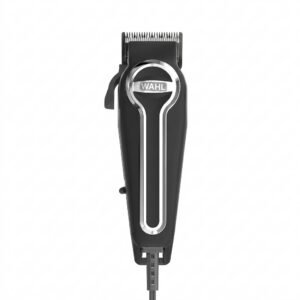 WAHL ELITE PRO HAIRCUTTING KIT
1 × 34.800 OMR
-
×
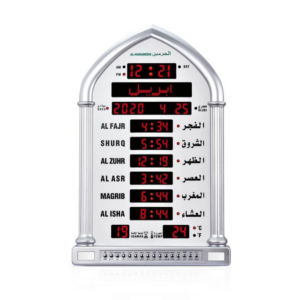 Al-Harameen Digital Azan Clock HA 5118
1 × 37.900 OMR
-
×
 Sony PS 4 FC 27 Gaming CD
1 × 19.900 OMR
-
×
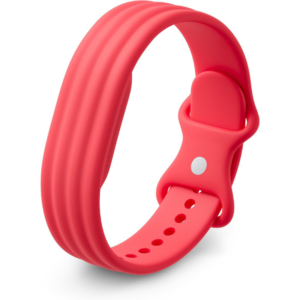 Google Fitbit Air Active Band Berry Silicon Strap
1 × 20.900 OMR
-
×
 OMNIKEY 3121 CARD READER
2 × 7.900 OMR
-
×
 DOBE PS4 TP4 023B Charging STAND
1 × 6.900 OMR
-
×
 SONY PS4 Final Fantasy XII GAME CD
1 × 8.800 OMR
-
×
 Redmi M2523W1 Watch 6 Obsidian Black
1 × 34.900 OMR
-
×
 XLF SPORTS CAR RADIO CONTROL TOYS
1 × 4.000 OMR
-
×
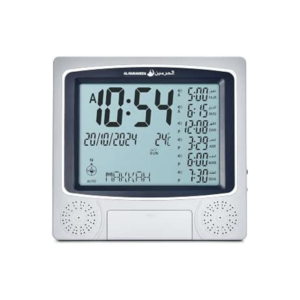 Al-Harameen Digital Azan Clock HA 4010
1 × 13.900 OMR
-
×
 Boya By Wm8 Pro K2 Uhf Dual Channel Wireless Microphone
1 × 76.800 OMR
-
×
 Anker Powerbank A1248 PowerCore III Sense 10000Mah
1 × 13.500 OMR
-
×
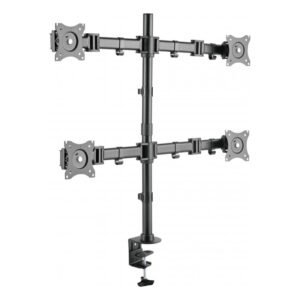 NEWSTAR 91 LDT07C048 13" 27" FULL MOTION MONITER DEST MOUNT
1 × 14.400 OMR
-
×
 TIAN DU TRANSVERSE STUNT CAR TOYS
1 × 11.450 OMR
-
×
 Bm 13k Bee Melodica
1 × 5.900 OMR
-
×
 Cleo-TY Kids Water Gun 3201A
1 × 7.800 OMR
-
×
 Apple Ipad Pro 12.9" 4th Gen Smart Keyboard Folio
1 × 94.900 OMR
Subtotal: 453.850 OMR
 New Arrivals
 Offers
 Service & Repair


There are no reviews yet.