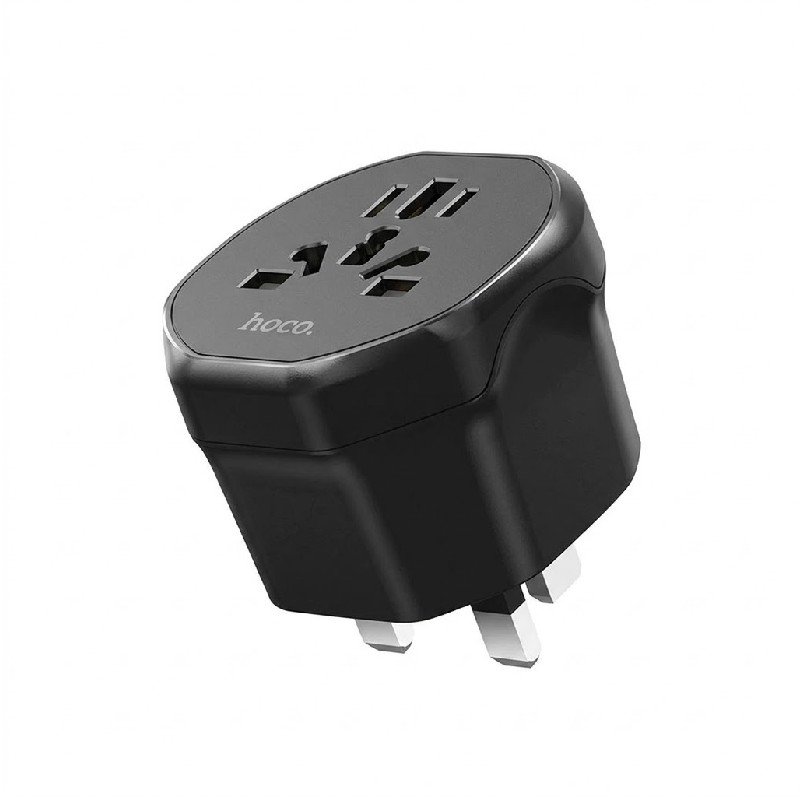
1. **Check Compatibility**: Before using the HOCO AC6 adapter, ensure that it is compatible with the power outlets in the country you’re traveling to. The AC6 is specifically designed for UK-style 3-pin outlets.
2. **Insert Adapter**: Once you’ve confirmed compatibility, insert the HOCO AC6 adapter into the foreign power outlet. Ensure that it fits securely and that all three pins are properly inserted into the corresponding slots.
3. **Connect Device**: Plug your electronic device or charger into the adapter’s socket. The AC6 adapter allows you to connect devices with various types of plugs, making it versatile for charging smartphones, laptops, cameras, and other electronics.
4. **Power On**: Once your device is connected, switch on the power outlet using the switch or button provided. The adapter should now be supplying power to your device, allowing it to charge or operate normally.
5. **Charge or Use Device**: Your device should now be charging or operating as usual. Monitor the device to ensure it is receiving power properly. If necessary, adjust the position of the adapter or device to ensure a stable connection.
SONY PS4 Rock of Ages 3 Game CD
Ahuja Utp30 Wired Tie Clip Mic
Cleo-GA Gaming Racing Simulator Cockpit GT Lite PlayStation Edition
SONY PS4 FINAL FANTASY VII GAME CD
Used Sony Ericsson T39
Cpt Guitar 3713c
Boya Lavalier Microphone By M40d
SONY PS4 CD DOOM
Cleo-MA Yufeng Tripod VCT-5208 Camera Stand
SONY PS4 TONY HAWKS PRO SKATER 1+2 GAME CD
Siltron Lf Mc2 10 M Xlr Cable
Used Nokia X3 02 Touch
Apple Ipad Pro 12.9" 4th Gen Smart Keyboard Folio
New Arrivals
Offers
Service & Repair

There are no reviews yet.