1. **Unboxing and Initial Inspection**: Start by carefully unboxing the Garmin Drive Assist 51 and inspecting all included components. Ensure that the device, mounting hardware, power cables, and documentation are present and in good condition.
2. **Mounting and Installation**: Choose a suitable location on your vehicle’s windshield or dashboard to mount the Garmin Drive Assist 51 using the provided suction cup mount. Clean the mounting surface thoroughly before attaching the mount to ensure a secure fit. Follow the instructions in the user manual to attach the device to the mount.
3. **Powering On and Setup**: Plug the power cable into your vehicle’s power outlet (cigarette lighter socket) and connect it to the Garmin Drive Assist 51. Power on the device by pressing the power button or by turning on your vehicle’s ignition. Follow the on-screen prompts to complete the initial setup process, including selecting your language, time zone, and preferences.
4. **Navigation and Safety Features**: Familiarize yourself with the navigation and safety features of the Garmin Drive Assist 51, including GPS navigation, driver alerts, and built-in dash cam functionality. Explore the menu options and settings to customize the device to your preferences.
5. **Testing and Calibration**: Test the functionality of the Garmin Drive Assist 51 by entering a destination and following the navigation prompts. Verify that the device accurately displays your location, provides timely turn-by-turn directions, and alerts you to potential hazards on the road. If necessary, calibrate the device according to the instructions in the user manual to ensure optimal performance.
Max Bms 135 Boom Mic Stand
YH 25 PS4 Multifunctional Heat Dissipation Charging Bracket
Ahuja Utp30 Wired Tie Clip Mic
Itc 240dtb Amplifier Mp3/Tuner And Bt
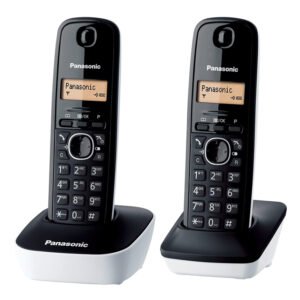
Panasonic Telephone KX TG1612
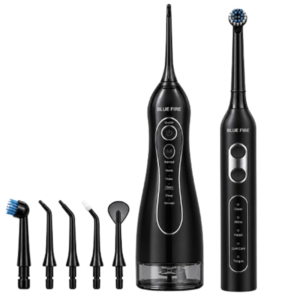
Blue Fire Hydroclean Oral Irrigator And Toothbrush BF-10
USB DATA CABLE PS4
Itc T 200b 15W Pendant Speaker
Boya By Wm8 Pro K2 Uhf Dual Channel Wireless Microphone
Sony PS4 Village Resident Evil Game CD
OTVO P4 USB DATA CABLE (For P4 Host & Handle)
Sony PS5 The Pathless Game CD
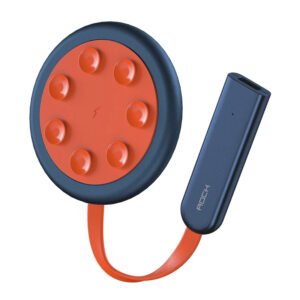
ROCK W24 Double side Quick CHARGER
New Arrivals
Offers
Service & Repair


There are no reviews yet.